HOME

September 4, 2010

Cross-Platform Stage Management

I call this: On the Road Again,mac,pc,theatre — Posted by KP @ 7:16 pm


This tour is going to be something of an experiment, and an opportunity for new stage management technical discoveries, as I have an ASM who uses Windows — I know!

Contrary to popular belief, I will actually choose ASMs who use Windows. And the people I most often assist use Windows, so I’m used to the cross-platform thing, although it’s been a while since I’ve been the PSM in that case and had to decide what software to use for the show. So I had no reservations about Meaghan not being a Mac user. I knew she was a PC user when we worked together two years ago, but I couldn’t remember if she had since switched, and I didn’t ask until this week when I was trying to nail down what software I’m going to use for the tour. Well she has a PC, but she assures me she has an iPhone, which is comforting somehow, and is an advantage I never had with Nick and his cursed-trackball Blackberry.

In day-to-day life I don’t find the OS to make that much of a difference. There were a couple events over the course of two years on tour where I remember saying to Nick, “thank God you have a Mac, or we’d be screwed!” but those were situations where we were already screwed and managed to avoid further screwing. Which is good. But those situations are rare, and if you are lucky enough not to be screwed in the first place, then you have nothing to worry about. The big one I remember was when my computer just up-and-died one day, an hour before the show. I was able to install all the software I needed on Nick’s and carry on. It was great, but in reality if that happened again, especially in the more cloud-based world we have now two years later, most things would be fine on a PC, and if I really needed a Mac, there will be like 15 more of them on tour and I could borrow somebody else’s to get what I need converted into PC-friendly form. But those kind of contingency plans will be part of the decisions I make when setting up our digital world.

The first of which is that there needs to be a backup of all our critical files on a drive formatted for FAT32. My backup drive, which uses Time Machine, is formatted for HFS+, which is the format required for Mac-bootable drives. I think I may keep all our files and installers on an 8GB thumb drive that I just purchased. Our show files are on DropBox so we both have access to them, so that’s a pretty good backup right there, but it might be smart to have an offline copy as well. I’ll probably keep that backed up every day or two.

I also have Windows running on my Mac (both natively, and alongside Mac OS using Parallels), which might come in handy if we need to share something in a Windows-only way. I was still using XP for compatibility with older games, and out of cheapness, but when I had the money, wanted to buy Windows 7. I would hate to find us in a situation where we can’t share something because I was still on XP, so I started to think of it as a business necessity to invest in the upgrade at this point. So I just installed Windows 7, and it seems to run well on my machine so far. Maybe this whole collaboration will help me to educate myself on changes in the Windows world that I’ve glossed over since I switched to Mac in 2002. That would be helpful, cause I sell myself as a computer geek stage manager, and if you sat me down in front of a machine with Vista or Windows 7 I don’t think I’d be much of a geek, and at this point it’s starting to feel like false advertising.

Meaghan and I are now pretty much caught up as far as being set up with all the software we’ll be using. Here’s what we’ve got:

  • FileMaker Most of the actual paperwork for the show will go in my database. Thankfully FileMaker is cross-platform, so we should have no problem with that. When at work, we will work off the master copy served from my computer, but I have recently added a feature to upload a copy of it to DropBox, so if she needs to reference the information inside when away from the theatre it will be in the cloud. Plus we could both access it from our iPhones if we wanted. If she was going to do some homework of her own, she would have a copy to work in, as long as I know not to be making changes at the same time on my copy, and to make the Dropbox file the master after she’s done. Nick and I sent the file back and forth over email sometimes, but this way should be a little cleaner.
  • DropBox This summer I started using DropBox as an alternative to MobileMe’s iDisk. The main difference between the two is that DropBox works. It works well enough that I could put my folder for each show on my DropBox and trust it not to get corrupted or out of sync. After three shows using that method, I’m now taking it a step further: I’m sharing that folder with Meaghan, so we will both be able to work off the same files.
  • Evernote For more on Evernote, you can see my first impressions post. I’m storing a bunch of stuff on Evernote, everything from the show logos to essential emails from office staff, to my shopping list for Staples. Meaghan can then check it to see all the information I have, and when we’re actually working she can add notes to my notebook for the tour with information and paperwork that she generates. I’m hoping between this and DropBox, we’ll never have to worry about me forgetting to pass on a file to her.
  • Microsoft Office Obviously. I don’t create all that many Office files, but it’s always necessary at some point. Our script will be the biggest one, and changes will be tracked throughout the rehearsal process.
  • Skype It may come in handy from time-to-time, but what I really intend to use it for is to teach the database before we start rehearsal. Meaghan only arrives in New York the day before we start, so using screen sharing will have to do.

In addition to getting us set up for rehearsal, I’ve been trying to make Windows a little more hospitable for my own use. The problem I have when gaming is that I become completely useless for anything else, because in order to access, well, anything, I have to reboot into OSX. The use of all these cloud-based, cross-platform tools has made it much easier to spend hours and hours in Windows without being prevented from doing anything else. The one major element I’m missing is OmniFocus, which is cloud-based, but only compatible with Mac and iPhone. However, the act of creating or checking off a task is so quick and simple that doing it on my phone is almost as fast as doing it on the desktop. Overall I’m excited to play with some new ways to organize.


June 15, 2010

Tech Complete!

I call this: summer stock,theatre — Posted by KP @ 1:56 am

Well we just finished tech.

It was a long few days. Things moved along quite smoothly, but just slowly. The show is a unit set, and as such, it’s very simple in terms of moving scenery, but a lot of care had to be taken to create new looks for each scene, and that takes time. The show is also LONG. I think most people probably aren’t aware of it, but Into the Woods can apparently reach three hours with intermission in many productions. The script is 188 pages long. And the show switches setting sometimes several times per page, so there’s a lot of tech to be teched.

Today was supposed to be our first dress rehearsal, but we ended up using the day to finish teching Act II, and then we ran Act II, which was all we had time for. The run actually went very well. It’s one of those shows that goes like a freight train, and it was a very smooth ride, that felt much shorter to me than the hour and four minutes it took.

I’ve been very wound up for three days, because my job is to tech the show, and the difficulty we were having keeping to our timetable has been very heavy on my mind. The first night I got a very restless sleep, dreaming about mics breaking and other assorted theatrical disaster. Last night I slept a little better, mostly because we had already sketched out a contingency plan for tonight, and it was one I wasn’t too worried about being able to pull off. Today for the first time since Saturday morning, I felt I could walk out of the theatre with my head held high, knowing that we have something resembling a show, and that at least Act II is proven to be in good shape for where we are in the process.

Because of the pressure, I haven’t actually been enjoying tech as much as I usually do. Once we began the run, and it started to feel like a run, rather than just an especially long unbroken stretch of tech, I started to have fun. Act I is a lot more complicated, so once we get there tomorrow — with costumes, wigs and makeup, and an orchestra on the clock — I will be more nervous, but tonight really cheered me up.

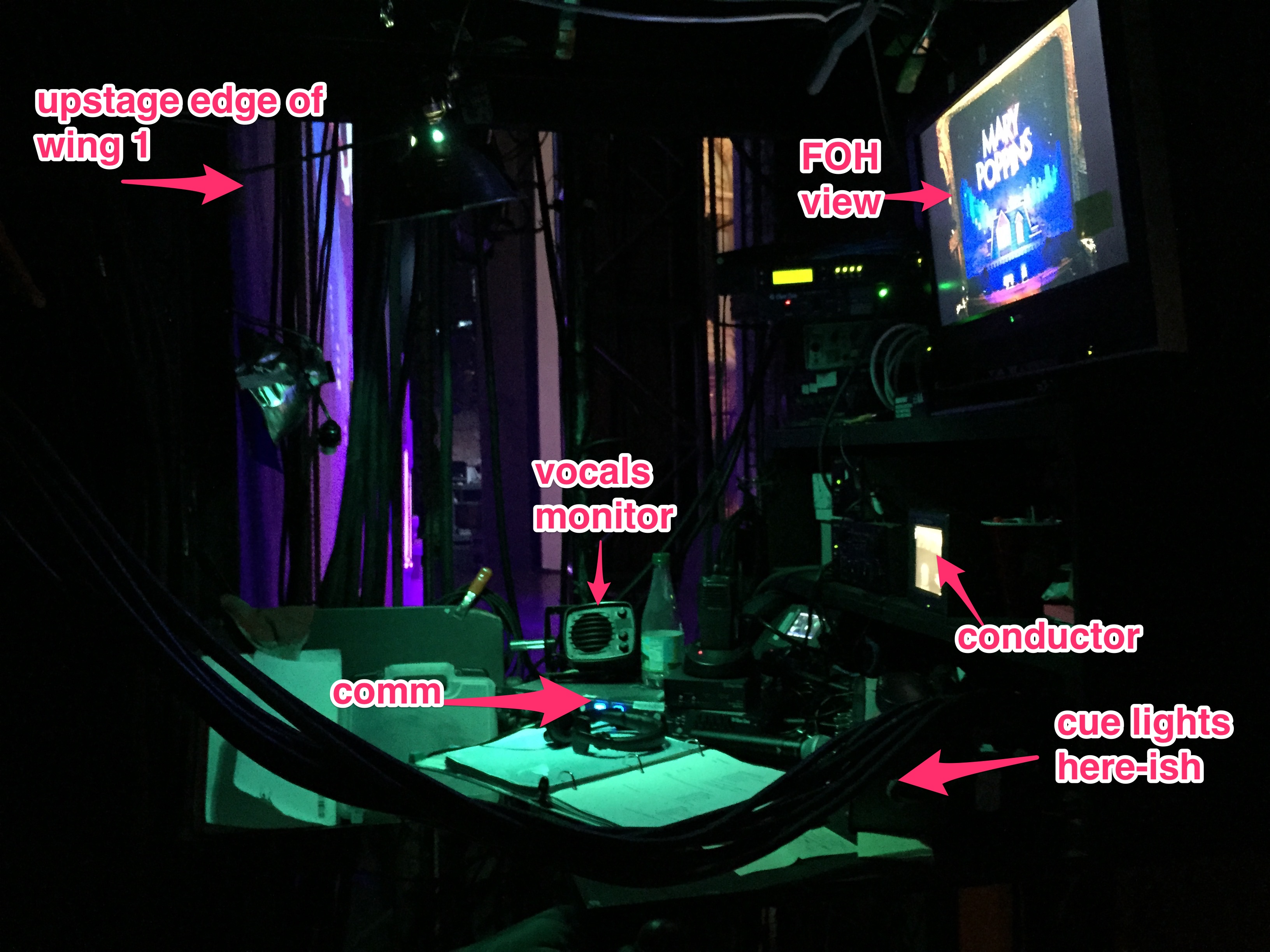
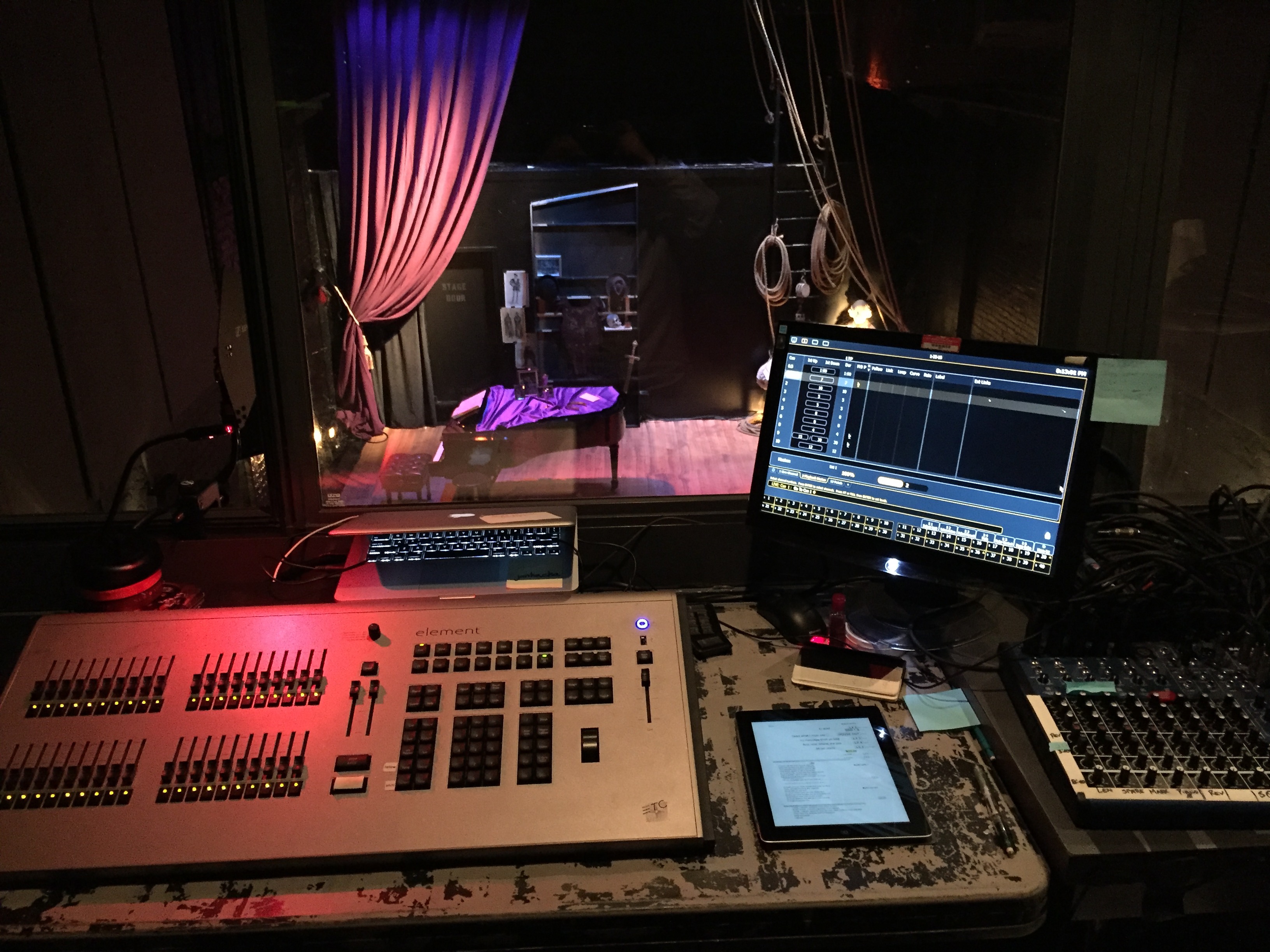
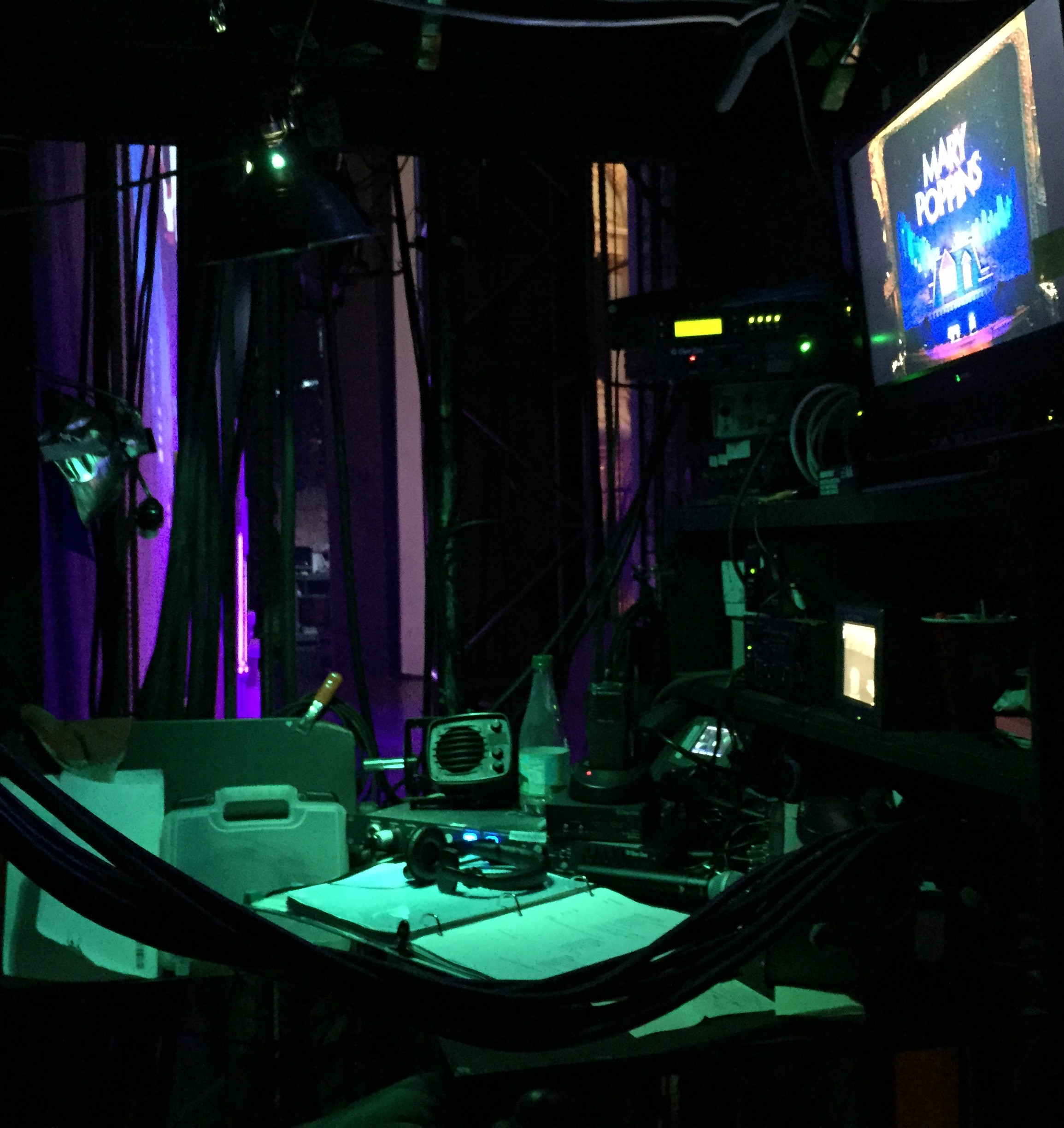
Obligatory tech table photo:

Several fun things about this tech table: I have to give credit to Justin Scalese, who is a loyal reader of this blog, and although I can’t get him program credit, I can at least acknowledge here that he has been dubbed “Ms. Parlato’s Personal Technical Advisor.” The program will refer to him as “Sound Engineer,” but we know the truth. I’ve asked for a number of creature comforts this season. First of all, knowing how many fly cues there would be in this show, I said I really wanted a working cue light system. Reagle had one in the past, but it hasn’t been functional in the five years I’ve been around. Justin was able to get me one cue light on very short notice for this show, and by the next show, we should have at least two, and will steal an idea from a theatre I toured to in Texas, and use rope light along the length of the rail, rather than a few light bulbs. The other complexity I threw at him was that the controls for the lights had to be able to be used not only in the booth (where the wires already ran through the ceiling), but also to the tech table, or else there would be no point to the whole thing. He came through.

With just one light, I’m using it on most of the cues, but for the really complicated sequences, it’s a combination of verbal cues, by cue number, for the flypeople on headset, and the cue light for those who aren’t. I think there’s one section that requires six people on the rail.

A few days after Project Cue Light, I posed one more challenge to Justin, which I thought would be impossible, or at least impractical: to get the conductor video monitor at the tech table. The cues in this show are all very musical, and there are a lot of vamps and safeties, where the only way to know what’s coming is to see the conductor. Apparently there’s a large surplus of BNC cable, and that project was completed before I knew it. Both improvements made the tech much easier, and will contribute to the overall quality of the show when it’s seen by audiences, because it was able to be teched with more precision.


May 31, 2010

Because It’s MY Database

I call this: summer stock,theatre — Posted by KP @ 5:03 pm

Still doing paperwork. Now I’m working on the weekly schedule. One of the hardest things in the first week is learning people’s names. This is like 10 times harder in preproduction because you don’t even have faces and performances to associate with who is playing what role.

So I’m going through the schedule trying to fill in who is called for what scenes, and I’ve decided in this case it’s easiest to go with actors’ last names rather than characters. Only problem is, I get to the first one and I know it’s Little Red and the Wolf, but I’m drawing a total blank on both their names. So I took 15 minutes and decided to solve this problem once and for all by adding a feature to the database.

I could have given it a very professional name, such as “Name / Role Cheat Sheet” or something like that. But this is my database, and until such time as it becomes someone else’s database, this particular feature is going to be called “ZOMG HALP!!!” because that’s what I’m thinking when I need it. Yeah, I do think like a lolcat sometimes. What of it?

I have placed a big red ZOMG HALP!!! button on the main page, which pops up this screen in a little window, that can then be tucked off in a corner where it’s always visible. It can display all the contacts associated with the show, but I’ve added a button which narrows it down to just the cast, since that’s the most common use. Here it’s showing the cast in the order I added them to the DB, which is an approximate of order-of-importance list, which I decided to leave as-is because it might be handy. It can also be sorted alphabetically by any of the fields which would be more useful at other times.


It All Seems So Simple

I call this: summer stock,theatre — Posted by KP @ 3:07 pm

Today is my last day of preproduction before beginning rehearsal for Into the Woods at The Reagle Players. I’ve settled into my apartment, and have parked with my laptop in my favorite spot on the couch next to the living room window, where I go when I want to pretend that I work in a job that lets me see windows, as I listen to the cast recording playing in the background.

I just finished entering everything into my event list, which is kind of a master table where the database tracks every rehearsal and performance. It’s from this that it knows that something is performance #6, for instance. It also allows it to fill in certain details automatically when I create a report, based on the current date. On tour it’s more interesting, because based on the date it knows the performance time(s), type of performance, what city we’re in, the name of the theatre and capacity.

Anyway, one side effect of this table is that it very concisely summarizes everything from first rehearsal to closing. And this is what it looks like for Into the Woods:

It looks so small and simple, but it feels so hard at the time. The only other show I’ve had this part of the DB for was R&J, and that had 111 records. This only has 23, so I’ve always thought of this table as something that has to be scrolled for many pages, and it’s strange to see it so short. I’m not sure if I’m depressed or encouraged by how quickly the next month of my life can be summarized, but I suspect I may be encouraged. I think it fits the attitude I always try to have towards it: you just have to give 200% for two straight weeks, and then it’s easy. There’s even a day off somewhere in there.


May 5, 2010

The Space Pen: A Stage Manager’s Best Friend

I call this: theatre — Posted by KP @ 2:42 am

If you’re a stage manager, maybe something like this has happened to you:
You’re out at dinner with your cast or crew, and at the end of the meal everybody is paying with credit cards and the waiter drops off the receipts and doesn’t have, or forgets to leave, a pen. Then everybody looks at you — and this is one of those evenings, you’ve dropped all your stuff at the hotel or whatever and are enjoying the rare opportunity to just go somewhere without lugging all your crap — and you don’t have a pen. And then everyone else at the table is like, “What? A stage manager without a pen?”

You may mutter something about not being at work, but then secretly you spend the rest of the outing suspecting that you may be a failure as a human being because you are at once a stage manager, and not within reach of a pen 24 hours a day.

This exact event has happened to me a lot in life, but as a kid who used to wear a pocket protector in my Catholic school uniform shirt (simultaneously with a fanny pack, while lugging an overstuffed backpack as big as me), I have fought hard to convince myself that it’s OK not to carry the kitchen sink on my person at all times.

Recently the above situation happened several times in one week, and aside from the embarrassment, the actual inconvenience of not having a pen started to get to me, and I decided that it’s time for me to suck it up and carry a pen everywhere I go. I already knew which pen it would be, one that I already purchased for this purpose years ago, but didn’t adopt steady use of.

Ever since I forced myself to start carrying it all the time, I have been surprised how many times it’s come in handy. Sometimes I forget I’m carrying it, and it’s been very exciting to discover, “wait, I do have a pen!”

I don’t want to recommend a specific pen too strongly, any compact pen would be better than none, but this one is a very good choice. It’s very small and smooth so it fits comfortably in the corner of my front pants pocket, it has a clip so it won’t fall out, and it’s a matte black so you can always be wearing it, even in show blacks. It’s very small when the cap is on, but very well constructed so that it is full sized and well balanced when you are writing with it.

Being a space pen, it can write for long periods against walls and at other odd angles you sometimes end up needing to write on backstage, as well as on wet paper (such as drawing on a cocktail napkin when having a debate with your crew), in extreme temperatures, and, if your show should be going on a really expensive, really long-distance tour, in space.


March 18, 2010

iDisk Syncing for Stage Management Files

I call this: On the Road Again,theatre — Posted by KP @ 9:59 am

Naturally being on tour I have a lot of documents to take care of. A lot of them have to do with schedules — there’s the cast schedule, the crew schedule, and the city sheets. Somebody always wants to know something, and there are a number of individual, constantly updated, documents which contain that information. I was finding it really hard to keep up with having the latest documents immediately accessible on my phone. I found myself saying, “I have that, but it’s on my computer,” way too often.

What I came up with is a solution using MobileMe’s iDisk, though I’m sure you could cobble together some other method if you’re not a MobileMe subscriber.

I have turned on iDisk syncing from System Preferences, which I’ve never really liked because frankly MobileMe / .Mac has always been really slow, and I don’t want it to spend any more time syncing than it needs to. However, I’ve never really bothered to use my iDisk to store files that I need frequent access to, so now it seems to be more worthwhile.

For a while I’ve had an alias folder on my desktop that links to a folder in my Acting Company folder, where all the schedules and city sheets were laid out in chronological order. This gives me easy access on my desktop — using OS X’s QuickLook feature, I don’t even need to open the files to read them. But it wasn’t helping me to have access to the latest copies of those documents on the go.

I moved that folder to my iDisk, and turned on iDisk syncing. Now I have access to the iDisk-hosted folder if I’m offline, which then syncs back to the online copy when I’m connected to the internet, and I can access the files using the rather nice (and free) iDisk app that Apple provides for the iPhone.

Here’s a picture of how I have the folder arranged:

I have the available city sheets on top, followed by the cast schedules (with the yellow labels), and the corresponding crew schedules (in green) underneath. This allows me to flip back and forth at a glance and see visually what the relationship is between them.

You can’t edit documents on the iPhone using this technique, but mostly I just use this folder to reference other people’s schedules when making my own. When I get an email with an updated version of the schedule, it takes about 3 seconds to drag it to this folder and overwrite the old one, and then I’m updated everywhere!


March 8, 2010

Nick’s Signage Purse

I call this: On the Road Again,theatre — Posted by KP @ 10:15 pm


Nick’s signage purse deserves its own post.

During the few days that Nick was off the tour, I had the opportunity to do his job myself. One of the things I have always been dissatisfied with is how we have organized our signage. All our signs live permanently in sheet protectors and there are many different types, and they’re slippery, and carrying a bunch around, along with tape and a dry erase marker, is a huge juggling act. And carrying just a few is a pain because you can’t just make a path around the theatre, you have to keep coming back for more.

So I grabbed an expandable folder thing, which was used by our predecessors and filled with old signage, took out all the old signs, and categorized it for our signs. When we got to New York, I showed my rough creation to Nick, and we both agreed that it needed a shoulder strap, because holding the folder was only slightly less annoying than holding the loose signs. So we cut a bunch of tieline and sized it for Nick. At first he was not happy that the folder was pink, but soon embraced it.


March 3, 2010

Stage Management Scripts

I call this: theatre — Posted by KP @ 9:42 pm

I’d like to call your attention to a new page on the site, called Scripts. It can be found under the Tools / Templates pages, although I hope to restructure those pages yet again when I’ve got some more templates, which is one of the things on my short list to do now that I’ve resigned from my position of nerdly responsibility in the MMO I play.

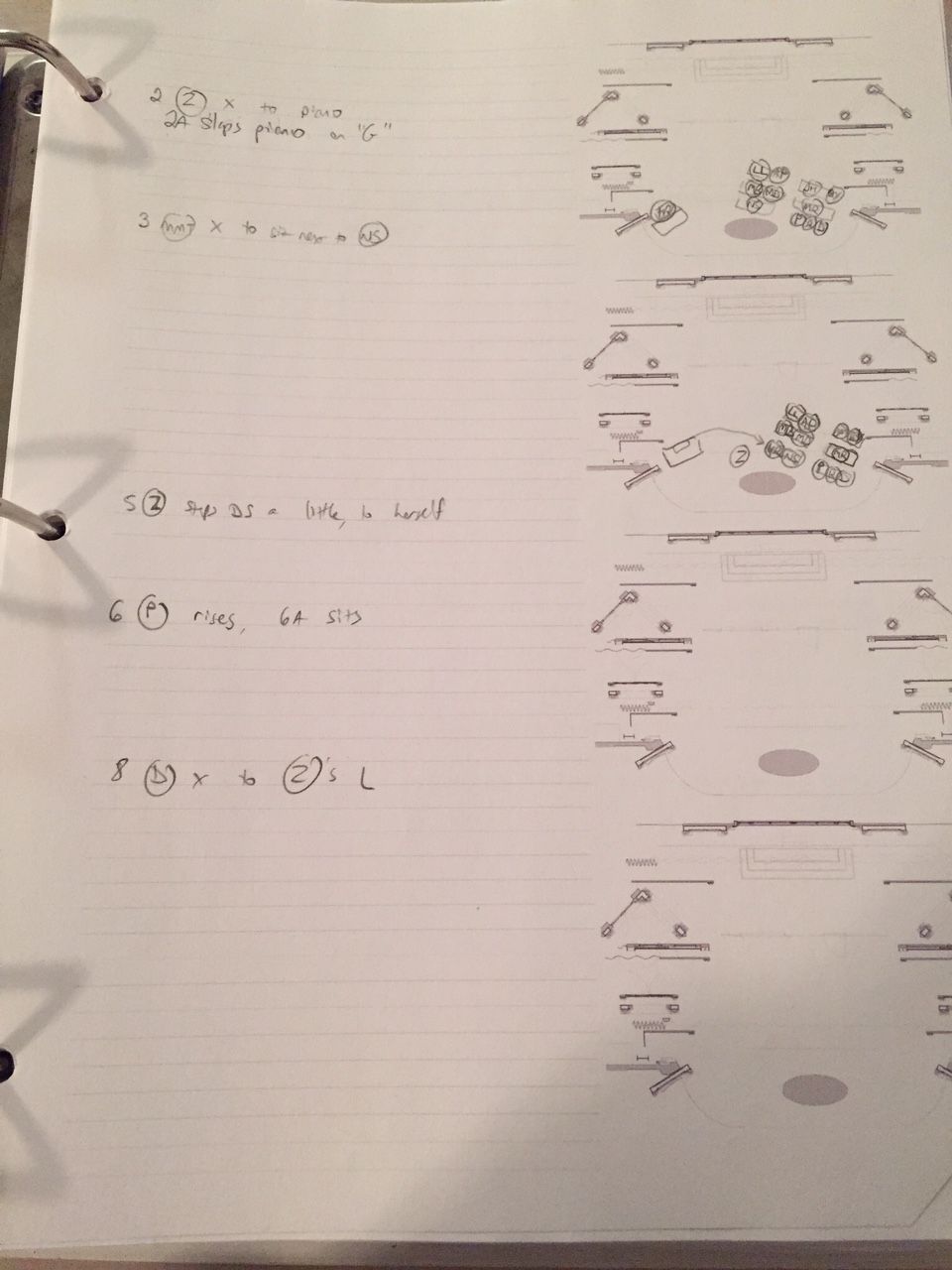
Right now there is a very, very small section on blocking scripts (which only exists at all because I think it’s tacky to have it just say “coming soon” so I threw a little bone in the form of one somewhat blurry picture of a recent page of blocking).

Mostly I have added some info about calling scripts, which I plan to build on later. What I do think is cool so far is that since my current show (Romeo and Juliet) is in the public domain, you can download my entire calling script as a .doc file and .pdf, so you can see how it’s formatted and play with it. And if you’re really, really crazy, you can come see the show and follow along!


February 23, 2010

New York

I call this: On the Road Again,theatre — Posted by KP @ 5:24 pm

It’s been a while since I’ve blogged. We’re running in New York, which you’d think would lead to more free time, but it’s quite the opposite. To start with, I live an hour and a half from the theatre, so that’s three hours less in my day to be productive.

We have rehearsal or two-show days every day except for our opening night, when we just had a 6PM show, followed by a great party at Cibo. However, that party was followed by having to be at the theatre the next morning for a full day of rehearsal and performance. In the middle of all this, we have one day off coming up, but I suspect most people, like me, have a full plate of fun things scheduled for that day, like laundry and doing their taxes.

Baruch is a very different kind of venue from any we’ve played with this show so far. It’s a black box, and the set just barely fits. We actually removed the front row in the middle of the first preview, after spending the entire afternoon figuring out how not to skewer them during the fights. We have some modified blocking, and almost all the spike marks have changed to move the furniture upstage. We have a nice way to handle this though: our deck is marley, and has always had the spikes traced with paint pen in case they peel up. When we needed to respike we just peeled up the tape and put new tape elsewhere, touching up the paint-pen marks where they’ve gotten faded. When we go back on the road we’ll just put the tape back on the pen marks. It also came in handy during understudy rehearsal yesterday, where we wanted the understudies to do the real blocking — the original spikes are still there to use.

So basically this has been no vacation (thankfully we do have a 5-day vacation at the end of March!), but it’s been nice to be home anyway. I wish I could be here long enough to make it worth my while to spend time settling in.


February 13, 2010

Adventures in Calling

I call this: On the Road Again,theatre — Posted by KP @ 2:48 pm

So far on this tour, since we left the Guthrie, every single performance has offered some new challenge to me in calling the show. I haven’t minded it, it’s kept a very simple show interesting. After running at the Guthrie, the one thing I’m most comfortable about is my ability to call the show, so I’m more than happy to make that harder for myself if it makes somebody else’s job easier.

In reverse chronological order (newest first), I will keep this post updated as I have more adventures.

Morgantown, WV

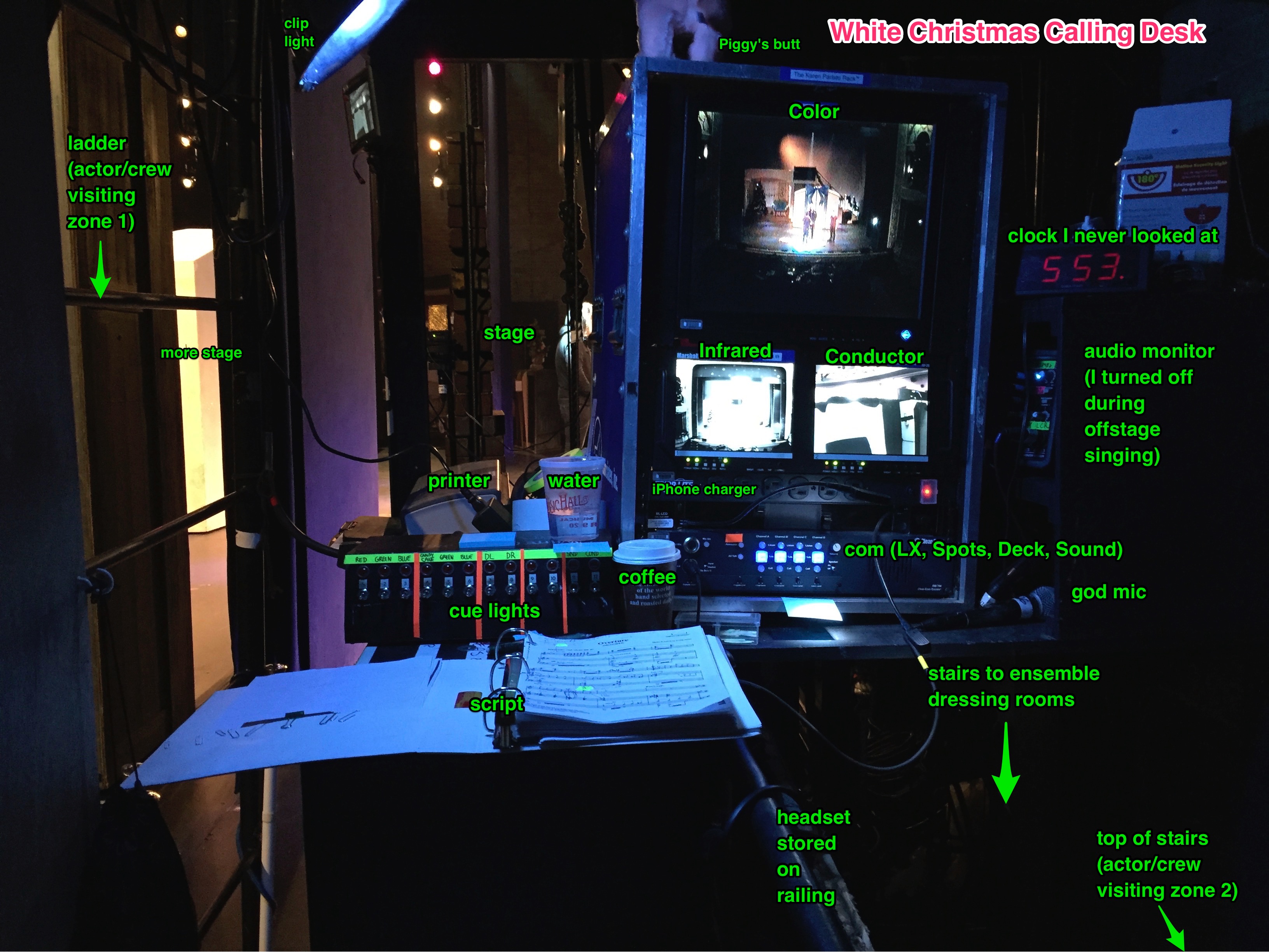
Again, due to Nick being gone, I’m more inclined to call from backstage even under somewhat less than ideal circumstances. There’s not a calling desk here, or a camera, and the view through the masking is a little chopped up, but in completely unrelated developments, we’re all using the house wireless comm, and so I decided that being on wireless, I can stand up and move around if I can’t see something from where I sit.

Fairfax, VA

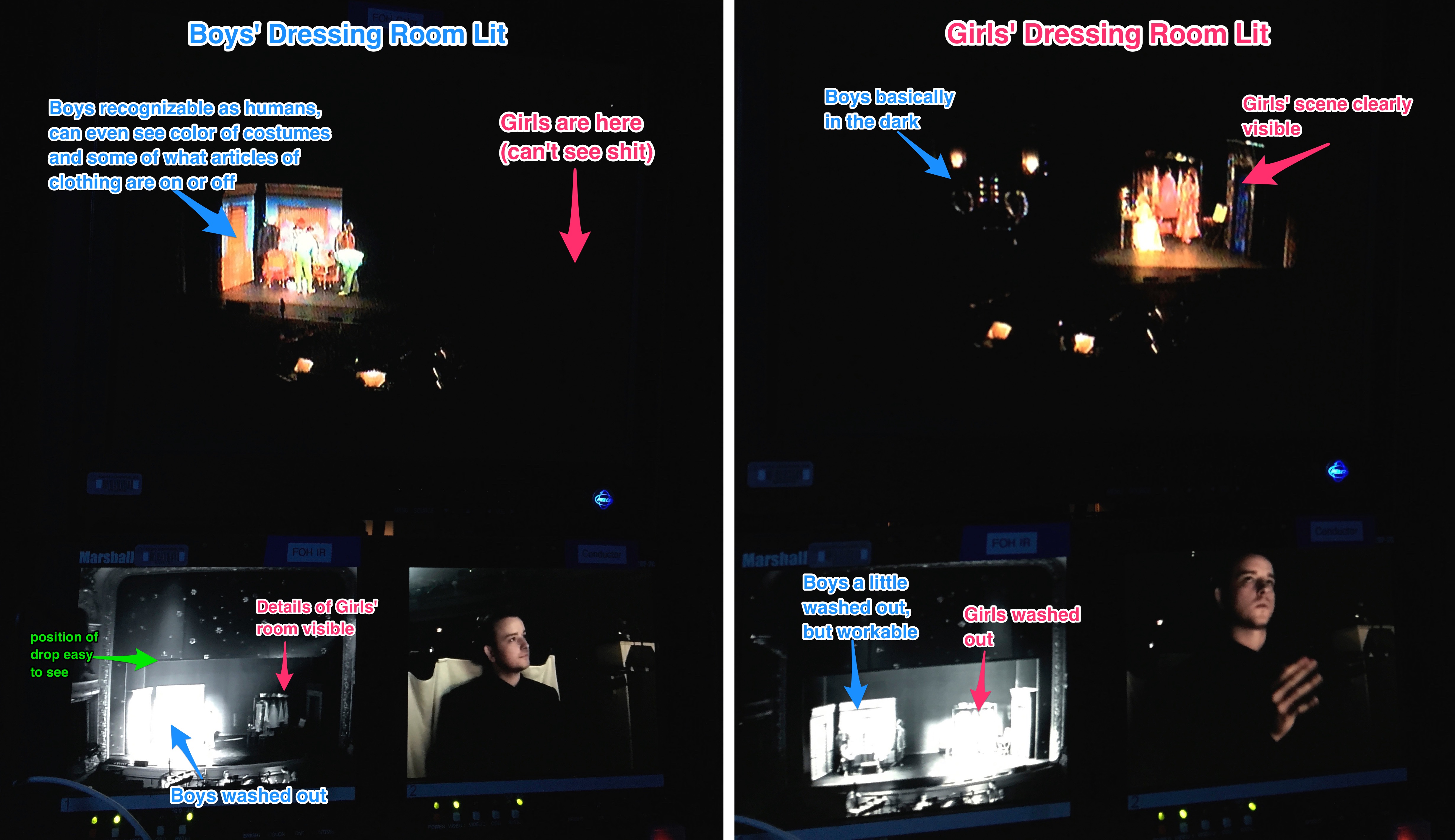
I called from backstage again, but this time with a worse view of the stage, but with cameras. So it worked out just fine, but it was the first time I’ve had to really rely on a camera to see what I needed to see (aside from tech and the early part of the run at the Guthrie, when I was using the infrared). The real challenge, however, was that Nick had to go home for a few days, and needed to leave during the second act. He trained Bobby on his track before the show, and then watched as much as he could before he left, but really Bobby had to do the show for the first time on his own. The track is really easy, but it does require a certain extra bit of attentiveness on my part as well, because I have to be really paying attention to make sure I’m giving all the warnings at the right time, and thinking ahead to each sequence to see if there’s anything that should be explained ahead of time that might be disorienting to someone who had never heard it before.

Pittsfield, MA

This was a really big challenge. We didn’t do the show with our own light plot. We used the venue’s rep plot and focus, with our color in it, and a few specials, as well as our set-mounted lights, which are pretty numerous. Basically the entire lighting design had to be recreated from scratch using whatever we had at our disposal. Corey, the staff director, asked Devon and I to create six different looks which could be used to roughly cover the whole show. I took out my backup calling script and on the drive to Pittsfield, scratched out the internal cues we wouldn’t need.

Due to the ease of load-in for the set, we had time to be more ambitious. We created the six basic looks first, and then started at the beginning of the show, modifying each one to better adjust to the needs of the scene and the feel of the original cue. After four hours, we had almost 50 cues (the show only goes up to 135 to begin with).

I marked up my backup script for calling this particular performance, which is a lot easier than modifying the main calling script and then removing the changes. This way if something like this should have to happen later in the tour, we will still have a script to base it on. I took the time to hole punch it, but then decided I didn’t need to bother to put it in a binder.

In a way it was an easy show because I had less cues to call, but I had to be very alert to which cues were in, and in a few cases made decisions on the fly to move cues where we replaced a multi-cue transition with a single cue. The show looked really good — when we saw it, we were actually amazed at how close it looked to the real thing.

New London, CT

This wasn’t so much a problem, as an opportunity. There wasn’t really a decent front-of-house position for me to call from, and there was a really nice calling desk stage right. Every venue has slightly differently-spaced masking based on where the available linesets are, and this one seemed to have a pretty clear view to the deck from where the calling desk was. I decided early in the day, based just on the lines drawn on the marley and where the legs were in the air, that I could call from backstage, despite the fact that there was no camera.

Indeed that’s what I ended up doing and it was awesome. I generally love calling from backstage most of the time, and it was great to be able to see the actors close up and watch the show from another angle. I also like to be back with everybody and feel like part of the backstage world. I took over the stage right cues that Nick does with hand signals, and I would have gotten to use the remote to turn off one of the remote-controlled candles, but the local guy who was supposed to do it had already been told about it, and I didn’t feel it was right to take away the one somewhat interesting thing he gets to do in the whole show. Someday. Someday.

Now that I know how easy it was to see all my cues, I can be a little more liberal with deciding if I can call from backstage in a given venue. Unlike Henry V, in which the whole set was a wraparound semi-circle, this one can definitely be called without a camera if the masking is in the right place, so that increases my options.

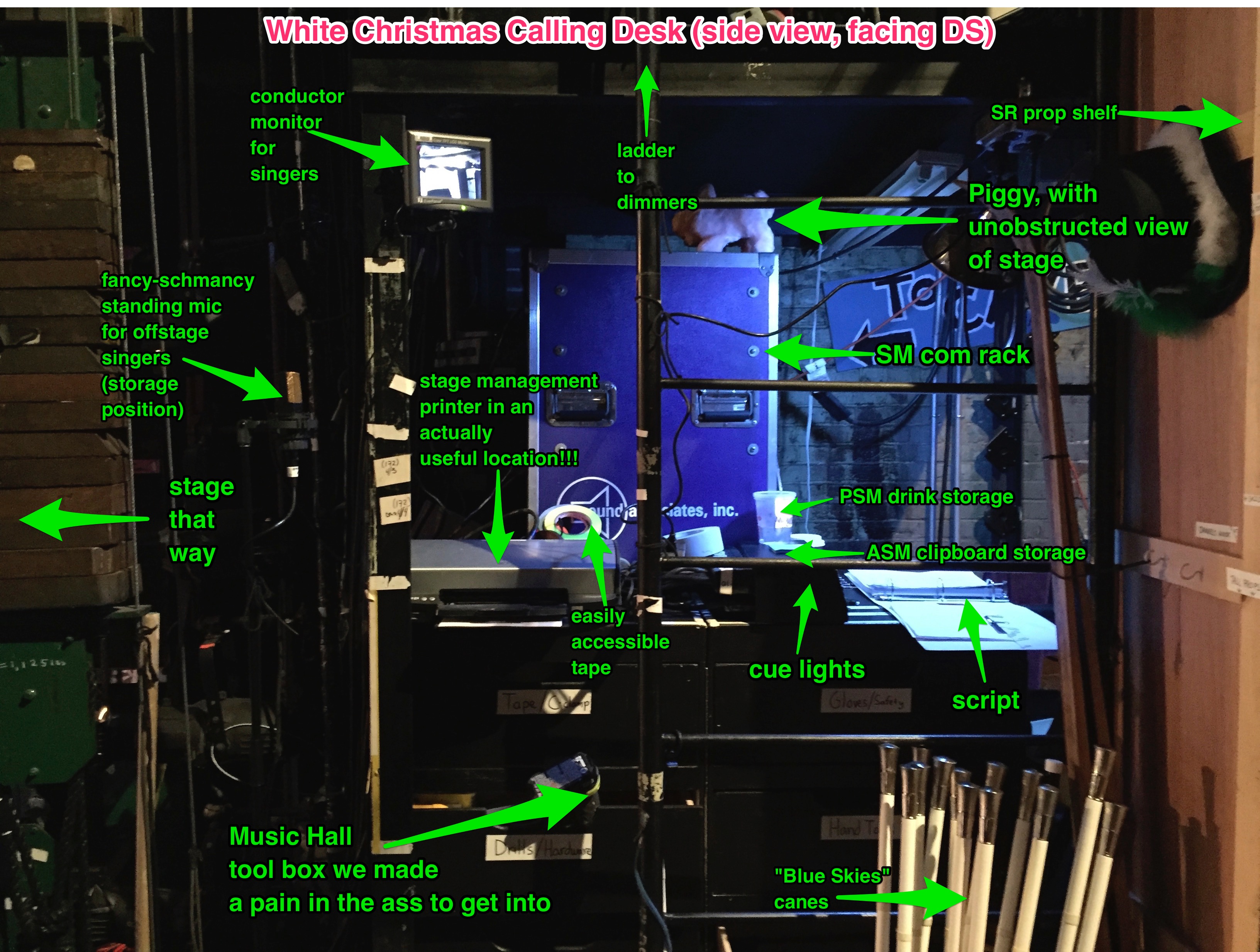
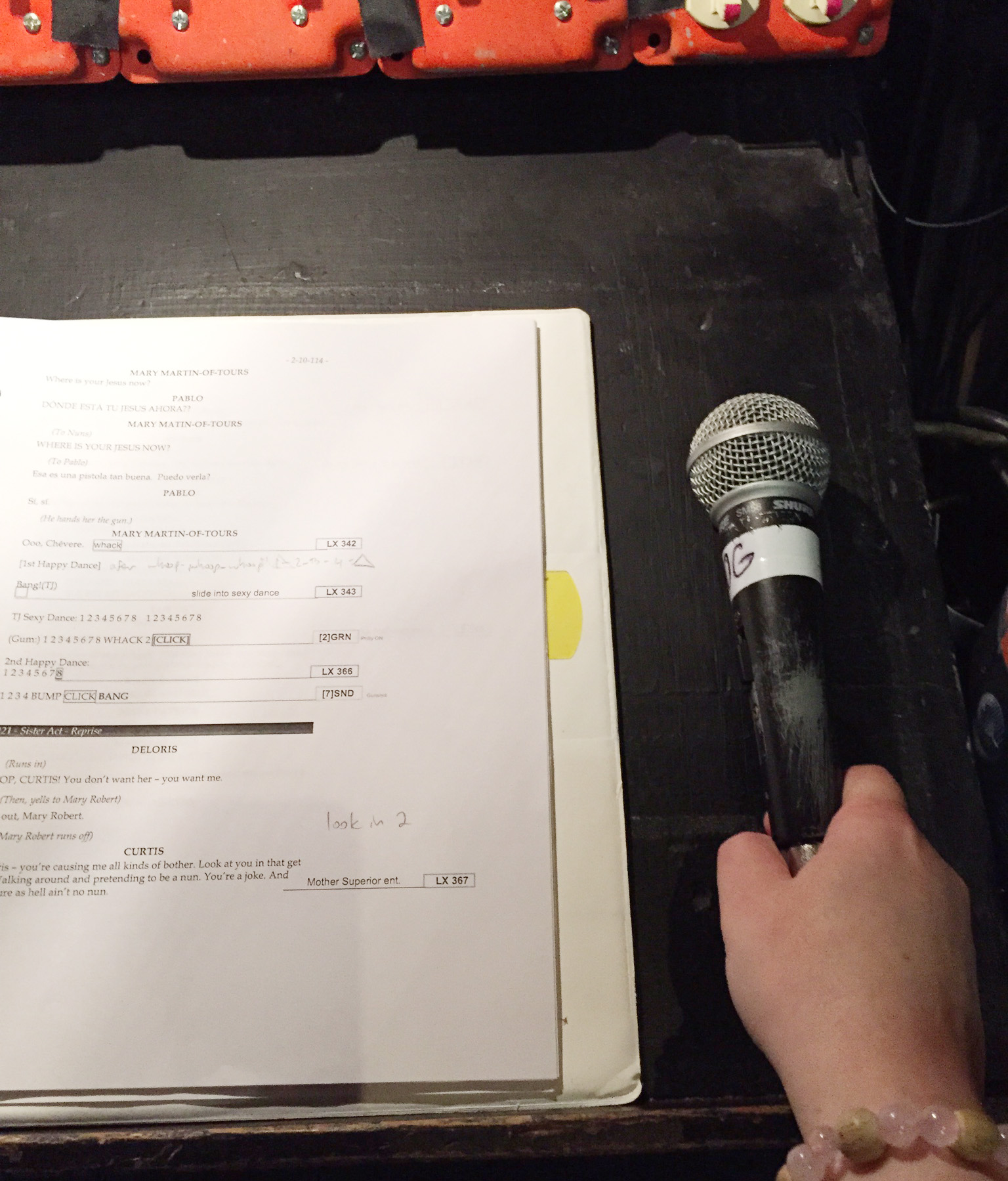
This is the calling desk during load in. That big binder isn’t mine, that’s the lighting book. None of that crap is mine. During the show, I had my script and my computer on the desk.

St. Cloud, MN

Everything was actually fine here, but the calling position was literally right behind the back row — at a table, not behind a booth wall or anything. So calling clearly enough to be understood by a crew unfamiliar with the show, but quietly enough not to disturb the people three feet in front of me was a challenge.

Appleton, WI

The house wired comm was having trouble talking to our wireless system, so I called the show wearing two headsets — thankfully they were both lightweight, and to be honest, it wasn’t as uncomfortable as you might imagine. Making sure both booms were near my mouth was the most difficult part.

I prefer to call the whole show on all channels so everyone hears what’s going on, but in this case I told them I would be calling only to the channel involved in most cases. I was just afraid of fumbling with both talk buttons and screwing something up if I was always trying to activate both.

Grand Rapids, MN

Monitors so quiet that I couldn’t hear the show beyond mumbles. Once you know a show well enough, it’s pretty easy to know what the actors are saying just by their inflection, but the downside is you have to follow where they are in the text very carefully so you don’t get lost.

Moorhead, MN

We had a bad headset cable, which caused me to lose comm twice within the first few minutes of the show. I was across the booth from the light board and the sound console was right outside the open booth window, so I was able to keep things going until we got it fixed.


Older Posts »