HOME

June 26, 2007

King and I Day 1

I call this: summer stock,theatre — Posted by KP @ 7:03 pm

First rehearsal for show #2. The day began for me in the morning with our first production meeting. It was a fairly leisurely meeting, with a scene-by-scene discussion of each set and any issues brought up. The recurring debate: fly in hard flats for quickness of scene change, or take the time to set them by hand on the deck, to avoid ugly aircraft cables catching the light (especially given that the pieces will be silhouetted at times)? I love the elegance of flying stuff, but aircraft cables are indeed ugly, and not particularly at home in the royal gardens of 19th-century Siam. This matter is still undecided. Attempts will first be made to conceal the aircraft cables behind other objects, and if that doesn’t work, I think we’ll wind up with the stuff being set by crew, which will mean we’ll be pushing to make the scene changes in time.

The theatre is building its own set for this show, which has been pretty rare in the years I’ve been here. The set is being recreated by our very talented head painter, Matt, based on the design used for an earlier production. While I’ve seen pieces of it under construction in our warehouse, this is the first opportunity I’ve really had to see all the plans and have it fully explained. I’m excited about it. After the meeting Matt took me back to the warehouse to look at it again, now that it’s closer to completion, and I have a better context for it.
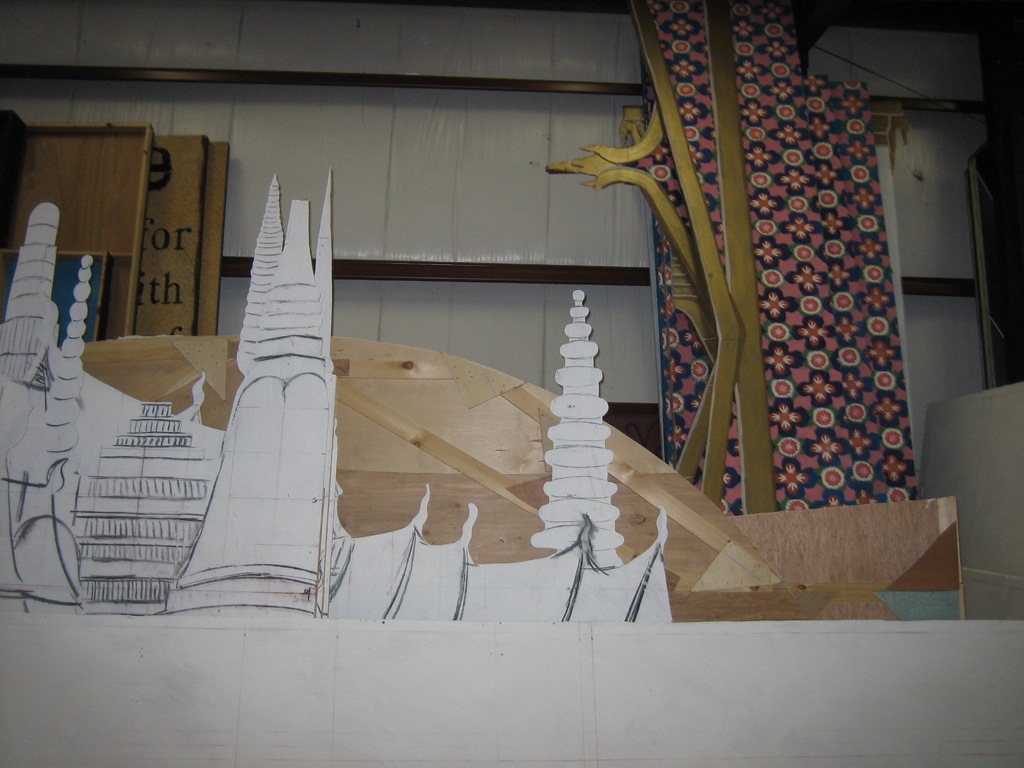
Here’s a view of some of it. You can’t see the best stuff in this photo, but the colors for the palace are very rich, and at the meeting Matt displayed a sample of the fabric for Anna’s bedroom drapes that I’m absolutely in love with.

Simultaneously, the most significant project of the year was going on onstage: the replacement of the entire deck surface. The deck has been due for replacement since at least last year, and Singin’ in the Rain sealed its fate with the inevitable water damage. As I mentioned last week, several sections had to be replaced during the run, including one emergency replacement at intermission. The crew did a lot of work today, almost all of the new surface has been laid. It still needs to be screwed down more permanently and then painted, but it looks great already.

I also got to see something I’ll probably never see again — the actual stage floor of the Robinson Theatre, just before the last of the large pieces was laid over it.
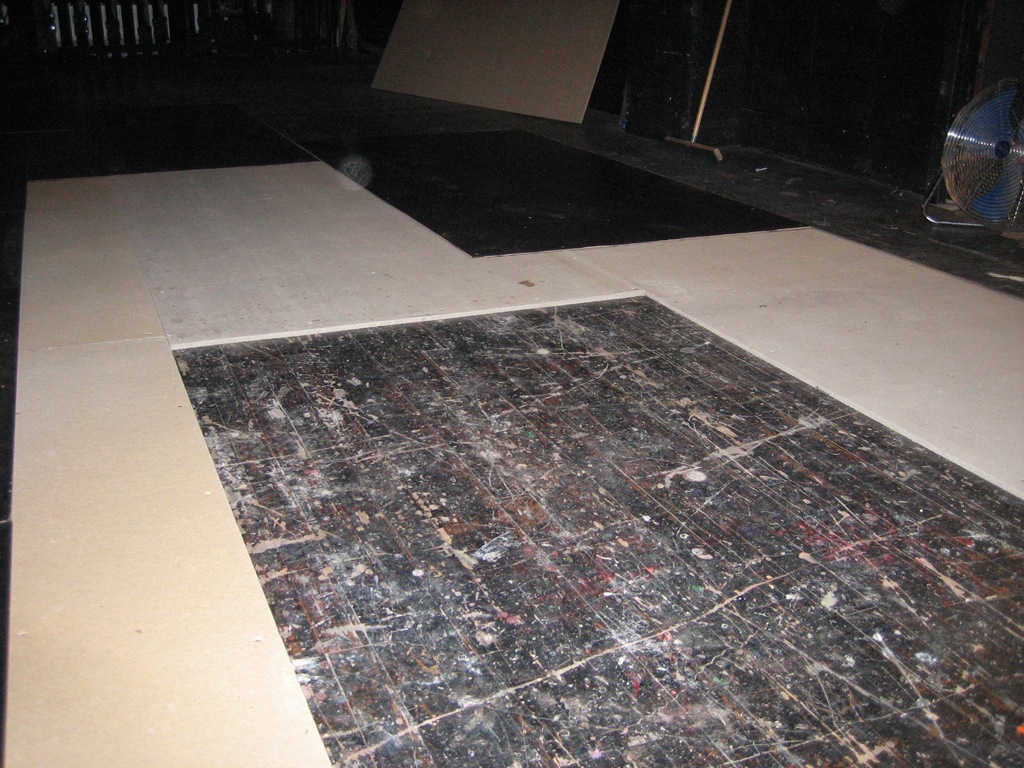
It’s your typical hardwood floor you’d find on a school auditorium stage, that someone obviously made an attempt to paint black at some point. Over that is laid a layer of Homasote to give the surface a little cushioning, before the top layer of tempered Masonite is placed. I have been informed that tempered Masonite is preferable to regular ol’ Masonite because it will be more durable. The darker black squares in the back and left are already finished, and the lighter black band in the upper right against the wall is the last of the old surface that has yet to be taken out. Eventually the surface, which is already black, will all be given a coat of black paint, but it’s being left au natural for now as it needs some time to dry out to avoid warping. It looks very clean and pretty, and best of all it will be a nice safe, even surface for our performers to work on.

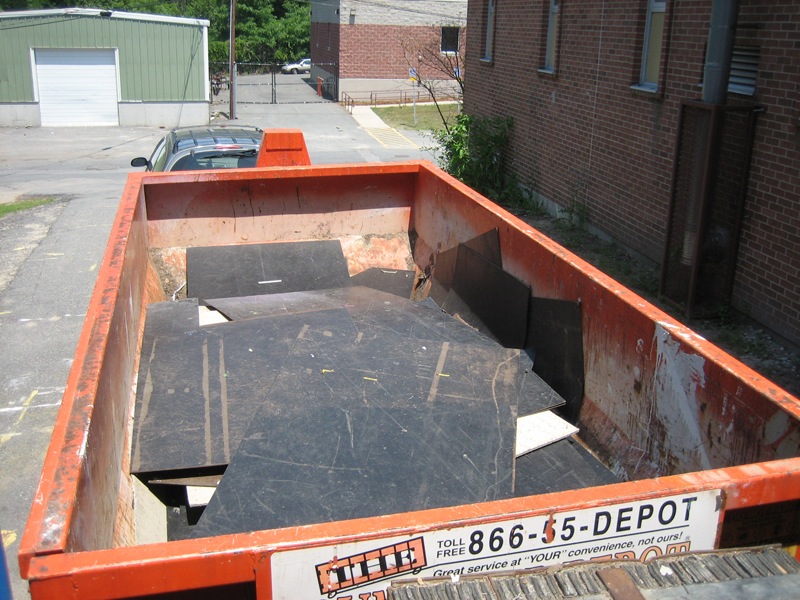
Bye-bye old deck!
Our rehearsal schedule in the afternoon was very easy — just music rehearsals with a few principals. I sat around and worked on some leftover notes from the meeting, and getting the contact sheet ready. In the evening we had the whole company present. Seventy-seven. Yes, 77. Seven seven. Forty-nine adults, twenty-eight children. This is only slightly more than my previous Reagle-high of 72 for Carousel. I’ve heard people saying 61 all day, but by my count I get 77. To be perfectly honest, I think once you get beyond 50 it’s all the same.

Anyway, with this mass of people, we did a read/sing-through of the show, including watching the DVD of the movie for the ballet scene. Our choreographer, Gemze de Lappe, was the original dancer portraying Simon of Legree in the “Small House of Uncle Thomas” ballet, and she also dances the role in the movie, which I didn’t know until recently. She’s wearing a giant mask so it’s impossible to tell it’s her, but it was fun to see her performance from over 50 years ago. I have no doubt she could do it today at 80-something! She doesn’t join us until tomorrow, but I’ve worked with her before on Carousel, and she’s quite an amazing lady.

Tomorrow is our first full day of rehearsal, and I’m looking forward to it.

June 23, 2007

Closing Night for Singin’ in the Rain

I call this: summer stock,theatre — Posted by KP @ 9:29 pm

We closed Singin’ in the Rain tonight. A closing performance in a situation like this always creates mixed emotions, and different emotions among different people.

The crew is eager to get this monster of a set back on the trucks and off to its renters in Oklahoma.

The actors who are not going to be in the next show are sad to be parting ways with new friends. Some are also happy to be returning home to their children or significant others.

People who are doing the next show have less reason to be sad because another exciting experience is starting in just a few days.

I have mixed feelings about it. I’m not going anywhere, so it’s not a huge transition. It’s a marker for me that I’ve completed a third of my job, and as far as I can tell, everything after this should be much easier. However, what I like about what I do is the part of actually putting on a show in front of an audience. The rehearsal process is just a means to an end. The hours are longer, and most of what I do is take notes and make phone calls, which is not particularly inspiring. Other people are making art (hopefully), and watching that can be exciting, but I just sit around pushing a pencil. So part of me would rather continue to do performances than go back into production and actually have to work instead of just have fun and put on a show.

I’m also looking forward to moving on to a new show. For all of Singin’s technical requirements, it actually was a pretty bland show to call. Not slow by any means, but not interesting. The show is written in such a way as to draw attention to the fact that we’re waiting for the set to be changed, and keeping the show driving forward was kind of a losing battle. I realized tonight how ready I am for something else.

I’ve never done King and I, in fact I’ve never seen it on stage, so I’m excited for it. Also, my friend Sarah Pfisterer is playing Anna, so it will be fun to work with her again.

As I write this (didn’t go to the closing night party because I’m still sick… grr…), the crew is busy striking the set, which they’ll probably be doing until about 4AM. They did a great job making this show go smoothly. It wasn’t easy, but it was always easier than I thought it was going to be.

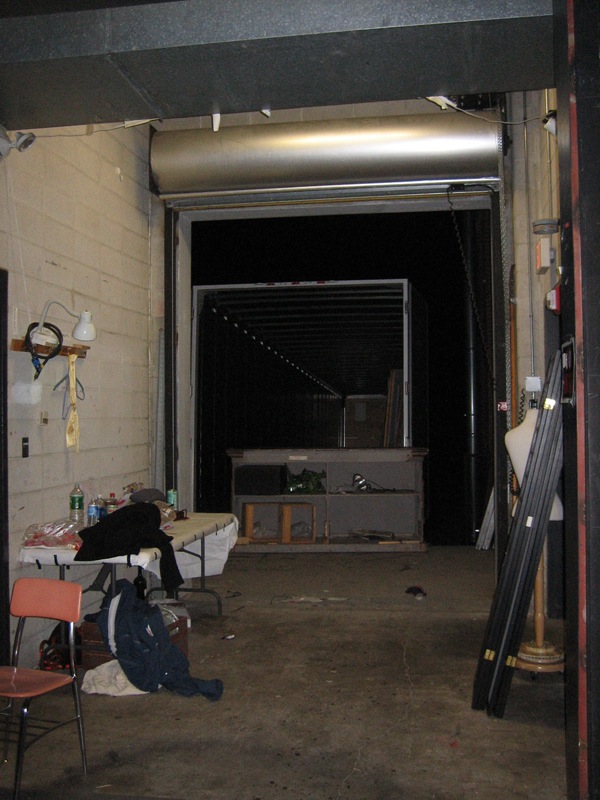
This was the view out the loading dock door to the first waiting truck.

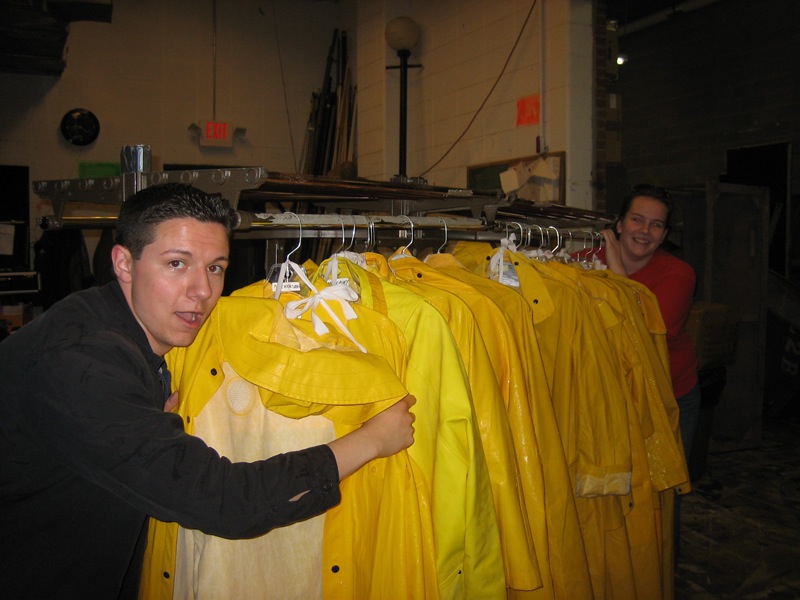
Joe and Christina making raincoats go away

One down, two to go. Stay tuned for the next exciting chapter in the Reagle summer season!


A Tony for Sound Design

I call this: theatre — Posted by KP @ 1:37 pm

According to this Playbill article, the Tony Committee has decided that the 2008 Tonys will include awards for Best Sound Design of a Play and Best Sound Design of a Musical. I’m happy for my friends and colleagues who are sound designers and engineers who have had their contributions ignored for so long. It’s just too bad that it took so damn long and that so many worthy shows in past seasons did not have the opportunity to be recognized.

The big question is whether the voters will have any idea how to judge good sound, or if they will even care enough to think about it, or simply use it as an opportunity to throw another vote in for their favorite show. But there’s so much wrong with the Tonys that this is hardly a problem unique to sound, although I think it will be magnified in this category because most people tend not to notice sound unless it’s bad.

At any rate, it’s a tiny bit of progress, and it’s good to see the Tony Committee joining the late 20th Century.


June 21, 2007

Second Week of the Run

I call this: summer stock — Posted by KP @ 10:56 am

So I’ve been sick for the last two days. Probably got it at the Majestic on Monday. There’s always some bug going around, and I don’t doubt that four hours in that building could send me home with something. At least that’s what I’m blaming it on. I’m not nearly as sick as a person could be, just an incredibly sore throat and a slight fever that I can’t really keep track of because I don’t have a thermometer up here. So I take some Tylenol whenever it seems to make sense, along with some echinacea, which it’s probably too late for, and my favorite cold remedy, Cold-Eeze. Calling a show sick never results in a particularly good show, it always feels a little bit like watching the show underwater — the music sounds muffled, and the timing of everything feels different. Not to mention if your illness is respiratory (which mine usually are) you can never be quite sure when you attempt to speak a short little word like “go” if your throat will choose that moment to get blocked up and not let it out.

But last night’s show was actually pretty good. I bought some ice cream in the lobby at intermission, and that was very soothing, so the second act was better. The key here is to not lose my voice. As I said, all the cues are verbal, so that would be incredibly bad. I can probably count on one hand the number of times in my life I’ve actually lost my voice to the point of no sound coming out, so I’m not too worried. I was careful not to push when calling last night, and although my voice sounds worse today, I think I’m probably on the way to getting better. The nice thing is that in the second week of the run there’s not much to do other than come in and do the show. We don’t even have any matinees this week, so I’ve been able to stay in bed as long as I need to and take it easy around the house.

When I came in before the show yesterday I noticed we had a new section of deck put down just downstage of the rain deck, in a spot that had taken a lot of water damage. At intermission I was informed that there was a section of deck all the way upstage that needed immediate replacement before the rain deck could be rolled back over it. About eight guys and gals with screwguns going simultaneously managed to put down a thankfully pre-cut piece of replacement deck with almost no impact on the length of intermission. I was impressed.

Since tech it’s been relatively common for there to be some kind of problem that threatens to extend the already-long intermission, and since I began my theatrical career in high school as a “techie,” in situations with non-union crews I sometimes enjoy pitching in and actually doing stuff instead of standing around and watching the clock. By now I’ve learned enough of the intermission changeover for this show that I actually know what comes next and can participate without needing to be told what to do or what spike mark I should be going to. Because of the very low grid height at Reagle, a lot of drops have to be clipped up to their pipes in order for tall pieces of scenery (like the rain deck) to move under them. Once the rain deck is pushed back upstage (which I often help with, although I doubt I’m actually taking much of the weight), a lot of intermission is spent unclipping drops used in the second act, which requires one person flying and about five people along the length of the stage to undo each clip, let the drop out, and reclose the clip, while holding the bottom pipe of the drop up off the still-somewhat-wet rain deck. Then the drop is flown until it’s stretched out, and we give it a tug to (hopefully) take out the wrinkles, and it’s flown all the way out. This process went faster last night than I’ve ever seen it, and I was glad I could actually be of some use.


June 19, 2007

Going home… wait, what?

I call this: summer stock,theatre — Posted by KP @ 9:51 am

I’m one of those people who will be on tour in a city for a week and refer to the hotel room as “home.” So it doesn’t really surprise me that when I slept in my own bed last night I felt like I was in a hotel room, and I’m now looking forward to going “home” to the Hardy Apartments in Waltham. I love my nice soft mattress and my nice soft sheets and my nice soft pillows, but I know that creaky twin mattress at the Hardy is where I’m supposed to be. In fact I just realized last night that I’m much more productive at Reagle mostly because it’s usually more comfortable to get out of bed than to stay in it.

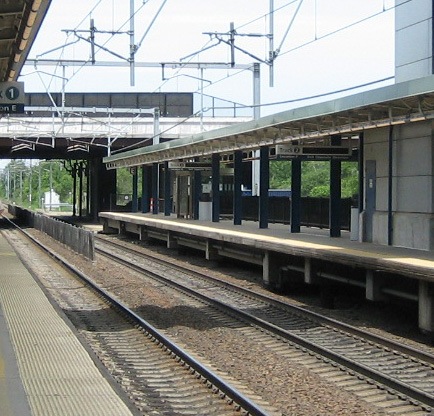
So I’m looking forward to getting back to Waltham, mostly because that’s where a lot of my stuff is and I’m used to it. Plus it’s hot and I want to throw my heavy backpack in the trunk of my car and crank the A/C instead of standing on a hot train platform for 15 minutes, only to remain cramped in a subway car for another 45 minutes, only to walk up and down steep hills with my heavy backpack and up five flights of stairs. I would never want to live anywhere else but New York, but being in the suburbs, especially in the summer, has its advantages.


I took this photo as we left, and decided to mess around with my new version of Photoshop on a fake macro effect that I’ve been wanting to try for a while. I took the picture and then between New York and New Haven, worked on it using tips I found here and here. I probably spent about half that time on the sky. I have learned that suspension bridges are not your friend when you need to alter the sky behind them.

My night at Phantom was interesting. I walked in to a usual night of chaos: too many people out, not enough understudies. This is a fairly regular occurrence, and after nearly 20 years the process of covering the show is routine. This one was almost really messy, though. Since I was present for no other reason than to get my photo taken, I was placed in charge of stage-managing the photo shoot with the various departments. Because of the tight deadline due to the loss of our original photos, we needed to turn the captions in to Playbill by the end of the next day. I took it upon myself (because I’m crazy?) to see that it was done. Again, a little computer skill goes a long way, as does the convenience of an all-Mac office. We had to have a way to get a copy of the photos printed in order to do the captions. They had a card reader, we had a Mac. We plugged it in, grabbed one photo from each group and printed them.

With the photos in hand, I brought them around to the various departments to get names and spellings for each person, and then typed them up. This took the entire first act. I literally was stapling the final caption sheet to the back of the last photo as the chandelier was falling. So how to get them to Playbill in time? I had a hunch, and asked them where the office was. 7th Ave. between 38th & 39th. That was pretty much what I was hoping to hear. It seemed the easiest way to make sure the material was delivered was for me to drop it off personally on my way to Penn Station. That was very easy, and I got a Playbill pen for my trouble.

Anyway, with my work done, I watched the second act from the sound board. I was mostly interested in seeing the new pyro effects, which have finally gone into the show after some planning. I guess there’s a new law which has banned the effects originally used in the show (something to do with the fuses). I had been warned for months it would be lame. It wasn’t quite as lame as I was expecting, but it’s definitely not as good. All I can say is that I kept my eyes open for the flames at the end of the mausoleum scene and I could still see when the lights came up. And apparently it smells worse, but I was too far away to tell. It’s sad that future audiences will lose that part of the Phantom experience. So many people say, “I was in the back row and I could feel the heat on my face!” It was never that big of a deal for me, but I hate to see any part of the original show be lost.

It will be nice to get back to Singin’ in the Rain after clearing my head a bit by spending a day with Phantom.


June 18, 2007

The Macbook Pro and Me

I call this: computers,mac,summer stock,theatre — Posted by KP @ 1:34 pm

Since the purpose of this blog (ostensibly) is to discuss theatre and technology, and ideally both at the same time, now I’d like to examine a few ways that my latest purchase can be used to help me in my job in ways that my Powerbook couldn’t.

The camera

Last year I was supposed to have a MBP before starting the summer season at Reagle. I had the money saved up, but then the IRS took about half of it, and I moved right before leaving for the summer, and the expenses added up to a lot more than I was expecting. So no MBP for me for another year. I thought I was OK with this, until we were planning the second show of the year, Thoroughly Modern Millie.

Our director was coming in from California, but we needed to have a production meeting before he could get to Waltham. We bonded quickly over the phone when we discovered we were both big Mac users, and since the Reagle office is not really set up for meetings or conference calls, we decided to set up my Powerbook in the lobby and have an iChat conference, with everyone gathered around the table and him on iChat. This was the first big moment when I said, “Damn it, if only I had a Macbook Pro!” He had an iSight, and if I had only been able to make that purchase, we could have had a video chat instead of audio, which would have been very helpful for seeing who’s talking (since he hadn’t met any of us) and holding up diagrams to the screen. If there ever comes the need to do that again, now I will be able to do it.

The Remote

This was round 2 of my disappointment on Millie. I ran the projection of supertitles for the show on my Powerbook via Keynote. It was a big deal to get the 100-ft cable run from the projector over the house, up through the ceiling to the booth (this is now a permanent installation and we will use it again this summer). Unfortunately, the cable was run before tech. In theatre it’s customary for the tech and initial dress rehearsals to be run from one or more tech tables, which are usually just sheets of plywood bridging over some seats in the middle of the house, to form a large desk to hold the light board, communications equipment, and for the stage manager and designers to put their scripts, computers and other stuff on. This allows us to see and hear the show up close as the audience will see it, and be near the actors, director, choreographer, etc. for easier communication. Because the video cable was already run, I had to leave my computer in the booth. The result was that I did all of tech from the booth, which is not the ideal way to learn to call a show, or to run a tech. The director and I both had God mics, and every single thing I said or was said to me by anyone in the house, had to be done over the God mics. We got through it, but I kept wondering if it would have been possible with the remote for the MBP to have had the computer sitting in the doorway of the booth (where the cable was just long enough to put it) and for me to have been at or near the tech table and cued it over my shoulder with the remote. It sounds a little unlikely that the remote would work at any helpful distance, and I never tried it for Singin’ in the Rain. Because there are relatively few, and relatively easy video cues, I just got the asst. sound engineer to run it for me during tech.

Improved Wi-Fi Performance

The Powerbooks always had trouble with Wi-Fi because of the metal case interfering with the signal. Somehow the MBP has been redesigned to make this no longer an issue. The antenna is actually in the hinge between the screen and keyboard, which is lower than the old location on the upper edges of the screen, but I guess it gets better signal because the area exposed from the metal is much larger.

Since I usually don’t work in places with good or any Wi-Fi coverage, this improvement could very well be the difference between broadband or no broadband if I’m connecting to a base station far away in the building, or even spilling over from the building next door or across the street. I’ve rehearsed a number of shows in locations where the signal was intermittent or there was a specific spot you had to stand in to get reception. With this machine I’d probably have been able to sit comfortably at my desk and get a decent signal. I’ve heard a rumor from one of my followspot operators that the magsafe cable actually acts as an antenna for wi-fi, but I have yet to confirm this anywhere else. That would be cool if it did, though.

Battery Life

This is a two-part advantage, one part which I will consider cheating. I’d make an unscientific estimate of my MBP’s battery life at somewhere over 4 hours. My Powerbook currently gets about 7 minutes. That’s cheating. But I’m currently writing this on a train, where I’ve been for the last hour and a half, and with my brightness all the way down and wi-fi turned off (but bluetooth going the whole time for internet access, and USB charging my phone), I still have more than half of my battery life remaining (supposedly), and haven’t had to bug the lady next to me to let me use the plug (which is good cause that plug is huge and I don’t think I’d actually ask). The point is, if this model gets better battery life, that’s a big advantage in real-world use when it could mean an extra half hour or more of work gets done.


My Weekend Vacation

I call this: summer stock — Posted by KP @ 11:12 am

Somewhat against my will, I’m spending my 36 hours off taking a little vacation. I’ve never been a fan of doing anything crazy on my days off at Reagle. I’m usually just catching up on basic things like sleep, laundry, groceries, and general relaxation. So today it’s Monday, and I don’t have to be back at work until Wednesday night’s show. And I’m currently on a train to… New York. Not at all where I would be going were I going somewhere. A lot of our New York-based actors go home on the days off, because they tend to have kids or spouses or some compelling reason to be there. I’m going to get my picture taken.

This is the stupidest reason I have ever had to do anything. On April 25 — I say again April 25, the photos were taken of the Phantom company for the Playbill Broadway Yearbook. This past Friday, I was at our opening night afterparty at a Waltham restaurant appropriately named Margaritas, just being served my margarita, when I received a phone call shortly before midnight. This was June 15. Apparently “due to a corrupted disk” they have lost the photos for the yearbook. I haven’t been able to get any more details about who lost them or when or how, or if it’s just Phantom or every show, or something in between. All I know is that in 52 days, somebody managed not to make a reliable backup of photos intended for publication.

The bottom line is that I was very pleased that the photos were originally taken while I was in town and available (as opposed to the first edition of the yearbook when I managed not to be in the book at all, despite having worked on three or four shows, and spent the entire year answering people’s questions of, “How come I don’t see any pictures of you in the yearbook?”). It was also a nice intimate photo of the Phantom stage management team, as opposed to the large group photos we’ve had in the past (see my profile pic for example). I was looking forward to seeing how it came out, and had made inquiries about getting a digital copy. So I was rather not-happy when I got this phone call telling me the pictures were lost and had to be retaken. The one good thing is that they happened to reschedule picture day for a Monday. At first I wasn’t intending to spend my weekend and a bunch of money dragging myself to New York just to get a picture taken. But I was so furious about the whole thing the more I thought about it overnight, I decided the money was replaceable, and if I threw enough money at it, I could make it a rather relaxing couple days off instead of a hassle. And I’d get to see my friends and sleep in my own bed, and most importantly, be in the picture for posterity and not have to be bitter about it the rest of my life.

I thought about driving, but I hate driving, and I didn’t feel comfortable parking the rental car in my neighborhood, and certainly wasn’t driving through midtown. I thought about the bus, but the whole prospect of five to six hours each way on a bus was unbearable. So I went with the train. I took the cheapest trains each way, and the ones in the most reasonable hour of the day. I’ll arrive just in time to take the picture and depart in the late morning tomorrow, and should be back in Waltham around 3:30, with more than 24 hours left in my weekend. Not so bad, really, and it’s more interesting than what I’d be doing if I weren’t going anywhere.


June 16, 2007

What does a 9AM matinee look like?

I call this: summer stock,theatre — Posted by KP @ 2:51 pm


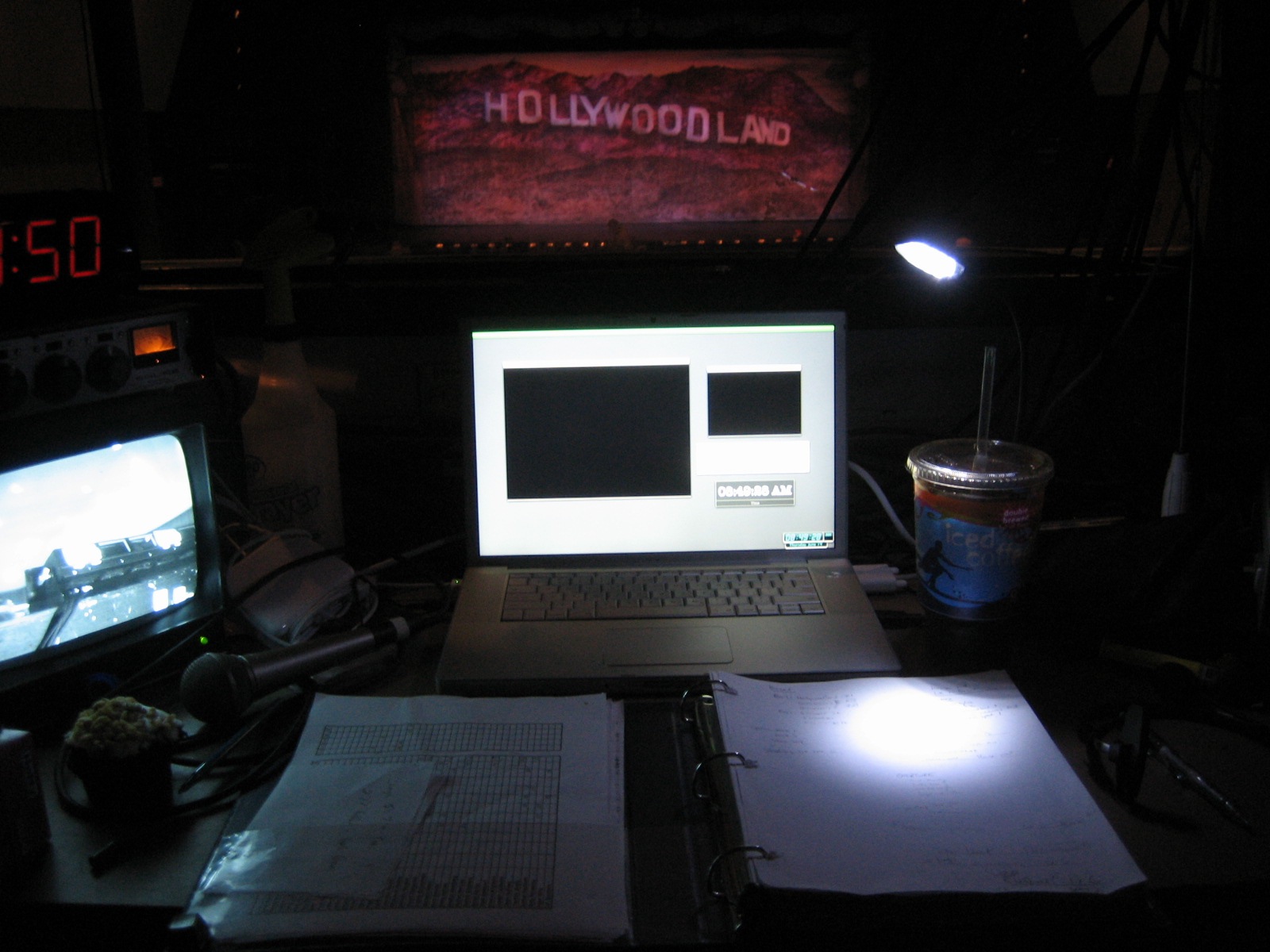
Stage… check.
Calling script… check.
Conductor monitor… check.
Computer in projection slideshow… check.
Clock reading 8:50AM… check.
Gigantic cup of Dunkin Donuts coffee… check!!! (I miss Starbucks, but I would have to take out a loan to buy a cup that big from them)

In the lower-left you will also find a homemade chocolate cupcake that I acquired when I unsuspectingly entered the box office before the show. It was only a slightly less-nutritious breakfast than the vanilla-frosted doughnut I had planned to eat, and it was very tasty.

The show is going extremely well. I’ve been getting lots of compliments on how smoothly everything is running, and I have been passing that on to the crew as well. It’s a big show, but everyone seems to have picked it up quickly and it’s been running at a level of comfort that I usually wouldn’t expect until the second week of performances. If we can just maintain the show here we’ll be in good shape, but I think it will get even tighter in the coming days. Three down, six to go.


June 13, 2007

The Highest Purpose for Theatrical Projections

I call this: gaming,mac,summer stock,theatre — Posted by KP @ 9:10 pm


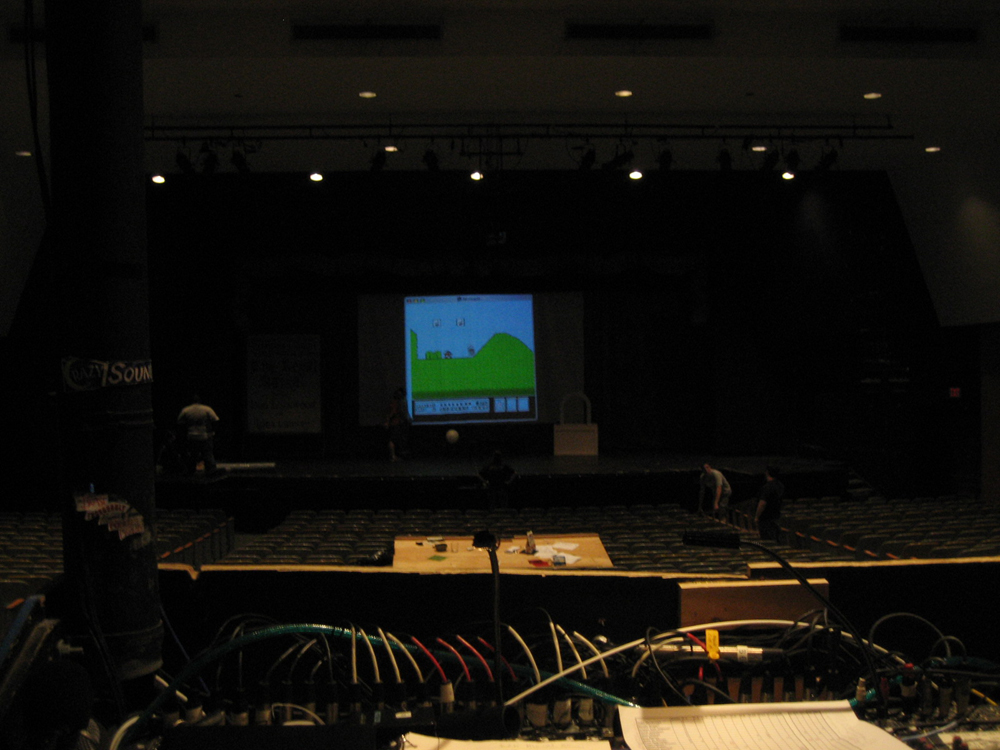
I had a few minutes tonight as we were doing the pre-show, and we had our first round of NES gaming on our lovely projection screen. We didn’t have a chance to do much, as most people were actually engaged in important work, or were about to be, but it was nice to try it out. I played a little bit of Mike Tyson’s Punch-Out, showed how much I suck at Spy Hunter, and just a tiny bit of Bionic Commando to show the young’uns a cool game that they may not have heard of, before moving on to the greatest game ever made, Super Mario Bros. 3.

Here’s a short video clip of Angela trying out SMB3. And yes, the sound is being run over the house system.

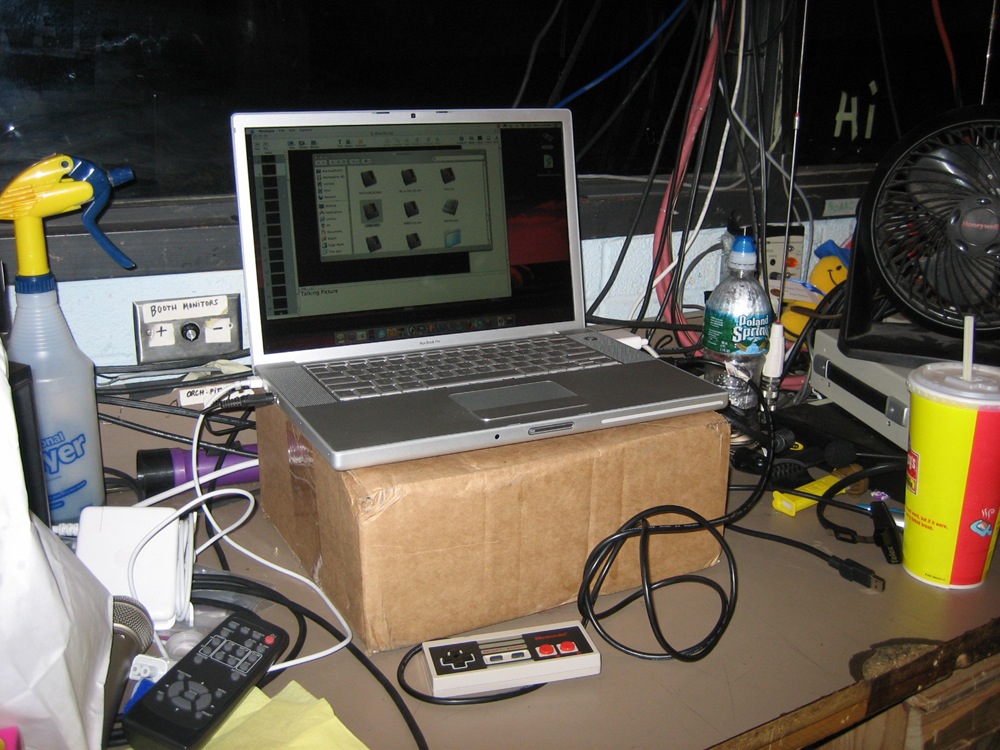
Here’s the (messy) setup in the booth:

The controller is something I picked up last year. It’s an actual NES controller that has been rewired for USB by RetroZone. The Emulator I use on the Mac is Nestopia, which is freeware, but does not support joysticks without a shareware add-on, which is $30. For only $20 you can get USB Overdrive, which is an all-purpose driver for tons of USB devices. You can assign buttons to do just about anything, and have different profiles for individual apps, so I could have my NES controller assigned as a really cool iTunes remote in that app without screwing ups its functions in Nestopia. Not that I would ever need it to do that, but now that I’ve come up with that example, I think it just may have to be.

Getting the game on the projector is simple. Just drag the window off your main screen to the side that leads to the projector’s screen (see here for details on setting up the projector). It was necessary for me to resize the window a bit to get it all on the screen.


Projections for Theatre Using Keynote

I call this: computers,mac,summer stock,theatre — Posted by KP @ 8:03 pm

Quite by accident, I have become something of an expert on the use of Apple’s Keynote presentation software for running projections for professional theatre. Since I’m currently in the midst of one of these shows right now, I thought it would be a good time to take a look at how it’s done.

To start at the beginning, you must know about the show that gave me my first experience with Keynote. At the time (2003), I had recently switched to Mac, and owned a Power Mac desktop, and my former computer which was an 8-lb. Dell laptop. By this point I knew I could never go back to using Windows to get any real work done, and I accepted that if I ever got a tour, I would have to buy a Powerbook. This was at the end of the product life of the Titanium Powerbook, and I was hoping if such a thing ever happened, that Apple had a better 15″ model up their sleeve. In the late summer, the 15″ Aluminum Powerbook was released, and I breathed a sigh of relief. Even more so when only a few weeks later I got called to interview for PSM of a small tour. A few days after that, the producer called to offer me the job. I literally hung up the phone, grabbed my keys, and ran to the Apple Store.

With my shiny new Powerbook, I began rehearsals. This show had a really large projection component, both still images and video, and they were not just decorative. The actors interacted with and referenced the images throughout the show, and any errors would make the show not make sense. The video designer was happy to see I had a Powerbook, because he intended to use the then-new Keynote app to run the show. The fact that I owned a Mac laptop simplified things greatly, and I was more than happy to offer its services, since it gave me the opportunity to tinker with my new toy, and a free copy of Keynote to boot. I learned a lot from our designer as he experimented with the slides and played with various features. I had to become pretty proficient with it, because he would not be traveling on the tour, and as the show was still going to be undergoing changes, I would have to be able to handle most situations that would come up. The only thing he would do was editing of the videos and images themselves, which would then be FedExed on a DVD to whatever theatre we were at, and it was up to me to create the slides around them and the transitions between each one to fit the needs of the show.

Sometimes I would be asked ten minutes before a performance to add or remove a border around all the images, or to move or crop all the images in some way, or to swap or reorder them. I think at its peak the show had about 70 projection cues, and I’m not kidding when I say I was asked ten minutes before a show to make changes to all of them. I got very fast with Keynote, and much of the credit has to be given to the intuitive drag-and-drop interface and that magical way Mac apps have of answering all your wishes when you say, “I wonder if I can do this.” This was only version 1 of Keynote, and it has only gotten more stable and flexible through version 2 and now 3. One huge complaint I had on that tour was that the display on my computer while I was running the show did not give me any helpful information about my presentation that I couldn’t already see on the screen. Even the column of thumbnails on the side didn’t scroll as the slideshow progressed, so once you reached beyond the first ten or so, you didn’t even know what was coming next.

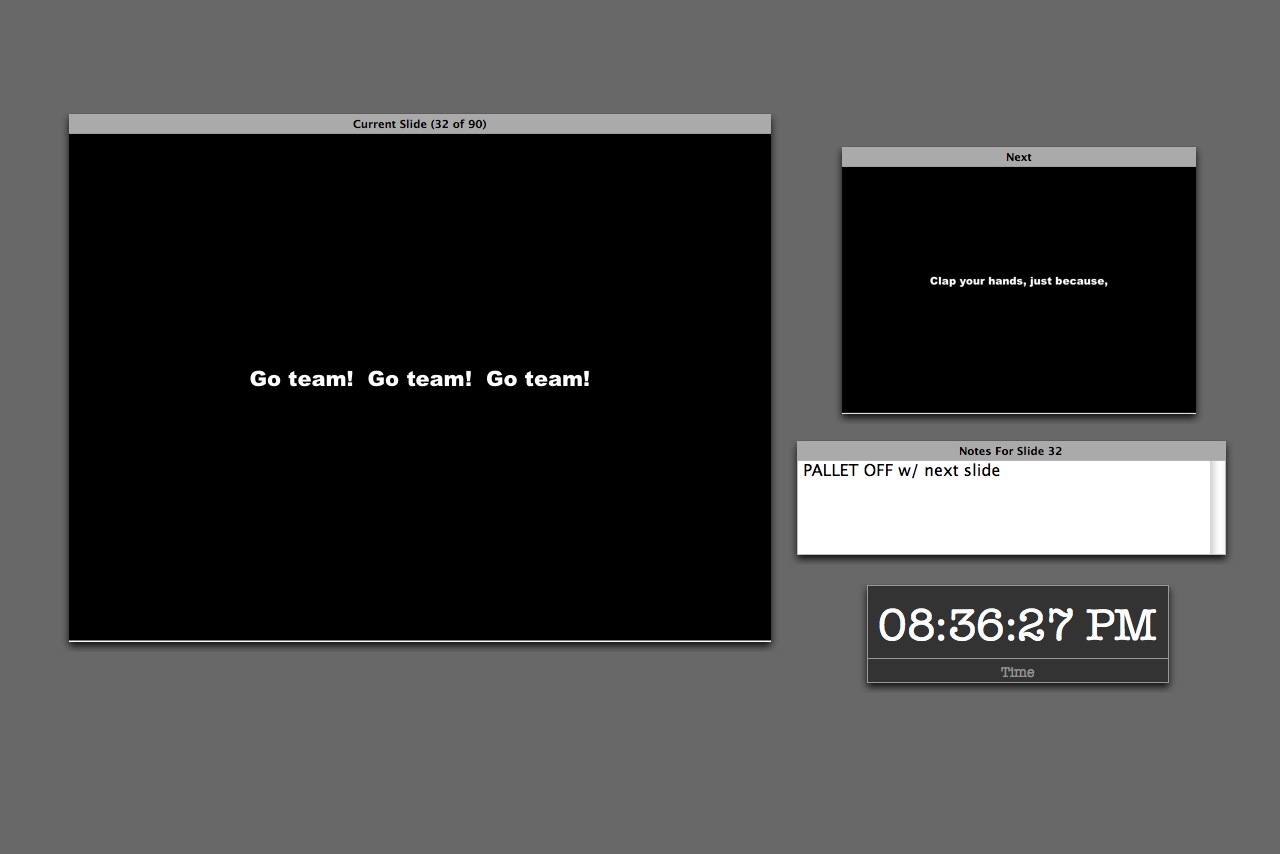
Nowadays, when I’m running a show my screen looks like this:

You can choose which elements to include on the screen, where to place them, and resize the current and next slide displays. I like this layout because it places the emphasis on what’s on stage so I don’t get confused, but also gives me a good idea of the cue I’m about to go into.

This is from my file for Thoroughly Modern Millie, which I’m proud to say has since been used in productions in North Carolina and California, and I even got paid! The only projections in that show are supertitles, but there’s a ton of them (90, including the blank slides for when nothing is supposed to be seen), as they are used to translate for the two Chinese characters. It was one of the greater challenges of my career to be displaying Chinese translations in real time while also calling the rest of the show. You can see I’ve used the notes field in this slide as a substitute for my calling script. During the Chinese sections I literally couldn’t look down for the entire scene, because each slide only shows a few words and I had to make sure I was on the right one for what they were saying. I don’t speak Chinese, but I did learn all the dialogue in the show. Having that notes field conveniently placed made it possible for me to keep my head up watching the screen and the actors, while being able to get a quick reminder so I could call cues and give warnings and standbys without the script.

The clock of course is handy for noting the running time of the show.

On the tour I first used Keynote on, it was part of the deal that each theatre supplied the projector. We had to deal with whatever they had, and I was prepared to hook up to any kind of connector: DVI, VGA, BNC, RCA, or S-Video. The Powerbook has a DVI and S-video port, and all the others could be done with adapters that I carried. BNC could sometimes be problematic because the signal had to go through two adapters: S-video out to RCA and RCA to BNC. The digital formats (DVI and VGA) tended to be the best, but sometime depending on the projector and the theatre the analog actually worked better. This is why I got good at setting up and breaking down the whole shebang very quickly. I could walk into a theatre for the first time and be pointed to the projector with my laptop and a couple adapters and have video running in probably two minutes. Hours and hours and hours would sometimes be spent if there were problems with the projection angle, bulb brightness, height of the ceiling, etc. but getting the show coming out the lens was the easy part.

One of the tough things about doing shows with devices like DVD players and VCRs is that if it’s not a Broadway show using professional equipment, consumer models have a tendency to display things you don’t want an audience to see, like big letters that say PAUSE coming up between cues. The solution to this is usually some sort of physical device that blocks the lens between cues, but this is often impractical, especially when the projector is hung in the air over the audience. The beauty of using the computer is that you can project a black screen between cues, even if you have to exit the presentation. How to do this is not always obvious. When I offer my services to a show, the question I always get is, “But how will you be able to run it without the audience seeing your desktop?” People really don’t believe it can be done. When you’ve done it a few hundred times, it’s ridiculously easy.

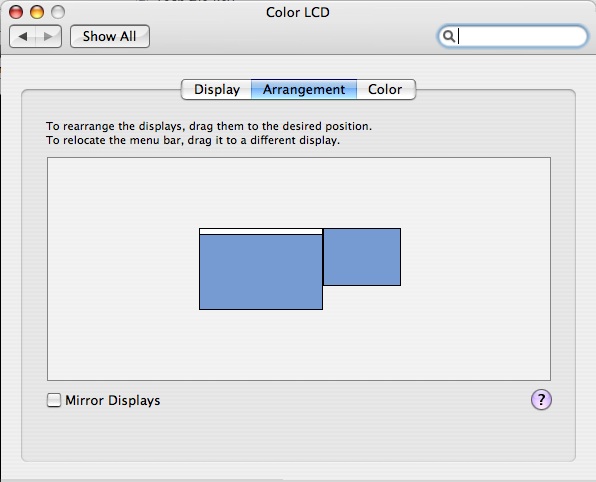
Several steps: you want to turn off display mirroring. In System Prefs/Displays, under the Arrangement tab, you will see a checkbox called Mirror Displays. Uncheck it. I discovered when trying to help the folks at Reagle do this for one of their winter shows that iBooks have their graphics card’s mirroring capability disabled. There is apparently a hack (Google for screenspanningdoctor), but they didn’t try it because it’s not particularly safe. I’m not sure if this is still the case with Macbooks.

When you have mirroring off, imagine the projector is a second monitor attached to one side of your screen. You’ll see something like this.

You can drag the second screen around wherever you want, I always keep it to the upper right as shown. Wherever you put it, the contents of the projection screen will exist in that direction off your desktop. If I’m clumsy and slide my mouse off to the right, you will see it on the projector. There’s nothing wrong with having to back out of the presentation to fix something during a show, the only danger is accidentally flicking the mouse off your laptop into that area leading to the other screen.

Also notice there’s a little white border at the top of the center screen. This represents your primary display, in the shape of the Mac menu bar. Whichever screen you drag that white bar to is the one which holds your menu bar, dock, and by default your desktop icons. You do not want this on your projector. If somehow it winds up there, just drag the white bar back to the other display.

Now you have two screens: your regular one on the computer, and the other, rather empty one on the projector. By default, your desktop wallpaper will probably end up on the projector as well. This is probably not what you want. I have an image in my wallpaper folder that is all black. It’s called BLACK so it’s easy to find. When you go to System Prefs and select Desktop and Screen Saver, you will get a window on both your computer and the projector’s screen. The cool thing is that using the window on the projector, you can sets its wallpaper independently of your normal desktop. So I have the projector set to BLACK, but I can keep my favorite desktop wallpaper on my computer. You should only have to do this once, after that the computer will remember to assign the black desktop to the projector. Unless you make the mistake I made this afternoon, when I plugged the cable in to my computer before turning on the projector. Apparently this confuses the computer, for it set my desktop resolution to 800×600 or something, forgot the wallpaper, and had mirroring turned on. I will remember not to do that again.

Another word of advice: whenever possible, focus the projector on a nice projection surface before you try to do anything with your desktop settings. It never seems to work this way for me, I always wind up trying to manipulate the windows while the projector is throwing an out-of-focus, backwards, horribly-keystoned, and way-too-far-away-to-read image across the ceiling, proscenium and several layers of set pieces. It can take several minutes just to find the mouse pointer. You have to know the desktop prefs window pretty well to be able to set it under those conditions.

When doing a show I do like to keep the desktop settings icon on the menu bar for quick access, especially for shows with analog connections, because the display will not be detected automatically, so you have to select “Detect Displays” every day when you plug the projector in. The screen will flash for a second, and then you will be good to go. You can also adjust the resolution of both screens from that drop-down menu. Unless you have a really fancy projector, its maximum resolution will probably be lower than your computer’s. When you first set it up, the computer may lower res to match the projector (especially if mirroring is enabled by default), but this doesn’t have to be the case. Just go to the drop-down menu and select the normal resolution for your computer and whatever you want for the projector.

A few basic things you should do to your computer when using it for a show:

  • Always have the power cord plugged in when running the show
  • Put the computer to sleep: never (Energy Saver prefs)
  • Put the display to sleep: never (Energy Saver prefs)
  • Turn off all system sounds (Sound prefs)
  • Turn off “play feedback when volume is changed.” If you ever want to hear the little blip, you can hold shift when hitting the volume keys.
  • Mute the startup chime just in case your computer crashes and needs to restart (I use Tinkertool System, but there are others)
  • Start screen saver: never (I forgot to do this when switching to the new computer, and came back on a break during tech to see the default “Flurry” all over the house curtain)
  • Turn off any background apps that have notifications that might pop up (anti-virus, backup reminders, etc.)

Before starting the show:

  • Close all programs except Keynote
  • Shut down background apps that consume resources
  • If you’re outputting audio to the sound console, you’ll probably want to keep your Mac set at a consistent level and let the engineer control the volume. So to start the show make sure you’ve got your computer’s volume where it should be. For Singin’ in the Rain, I keep mine at half.
  • If you’re really concerned about speed and stability, a restart right before the show will probably give you the most reliable performance.

Designing Slides
Keynote has lots of options for deciding how your slides look and how they change. I won’t go into all of it, but I will hit some of the most common techniques I use.

When designing for theatre, you will probably always want to choose a master slide with a black background. You can add colorful backgrounds by creating a shape the size of the slide.

My friend the Yellow Box
When you click on “Shapes” in Keynote, by default it gives you this textured yellow box. The yellow box makes a pretty good target on a black background, and I use this to move and resize around the screen until I’ve figured out what size the projected image needs to be. In this case, we have a drop that flies in with a movie screen in the middle of it, and the movie needs to hit only this part of the drop. So I fiddle with the yellow box, making adjustments until it’s the right size. Then I take the actual content for that slide, the pictures or videos, and drag them so that it’s the size of the yellow box. There are very easy arrangement buttons to help with this if necessary — forward, back, group and ungroup. If you’ve got an image that you don’t want to distort, or a video that can’t be stretched to the correct size, you can then create some black boxes and layer them over the edges of the images to essentially crop them. This leaves you free to manipulate the original image below and drag it around until you like which part is cropped. It also makes it easy to later drop in a new image without losing the work you’ve done with the black borders to size it properly.

So when it’s 7:55 and your director says, “Can all the images be six inches narrower on the left and right side?” you can just make two black rectangles, drag them around until they have the desired proportion on stage, and once you have the first slide looking good, group the black shapes together, select them, and copy. When you paste them into the next slide, they will retain their position in the slide. So all you have to do is select every slide and hit command-V in each one, and you can rest easy knowing they will all match. This is the secret to making changes when you don’t have the time to actually inspect each slide on stage. Get one looking right, and then create something that you can paste in every slide to use as a guide.

Transitions can do some nifty things, but most of the shows I’ve done have not been the kind of situation to use anything fancy. A simple fade in and fade out are the most common. The Inspector in Keynote has a tab called Slide which has the effects for how that whole slide changes to the next (applying a transition affects how you go OUT of the selected slide). An important concept is that you can set transitions for the whole slide, or for elements within the slide. If you can’t get it to do what you want, this may be the problem. When you set the transitions, make sure you know if you’ve selected the actual slide or a part of it.

Say you have a slide with a picture-within-a-picture. You can have the larger picture be displayed when the slide starts, but the inner one appears later. To do this you select the element you want to change and go to the Build tab. If the Build options are grayed out, you need to select the object you want to apply the effect to by clicking on it. There are too many options to go into, but you can set the action to occur either by a certain number of seconds’ delay, or with another button push. The timed ones are great if you want to fade the image with a light cue for instance, but if you want to cue it yourself you can control it with the button. You can build in and out of an image, and can set multiple builds per slide and the order in which they happen. I’ve only ever needed to scratch the surface of this feature, but it can do some pretty cool things.


« Newer PostsOlder Posts »